
This release of OnboardMe introduces a range of new features and bug fixes. The changes are outlined below.
New Features / Enhancements
Proposals
Proposal Review Enhancements
Based on extensive feedback from our customers, we’ve given the Proposal Review process a major upgrade.
Streamlined Experience: We’ve simplified the interface to make it easier and more intuitive for your clients to review and approve proposals.
Improved Clarity: The new design focuses on reducing friction, ensuring your clients can move through the onboarding journey faster than ever before.
Key Improvements include:
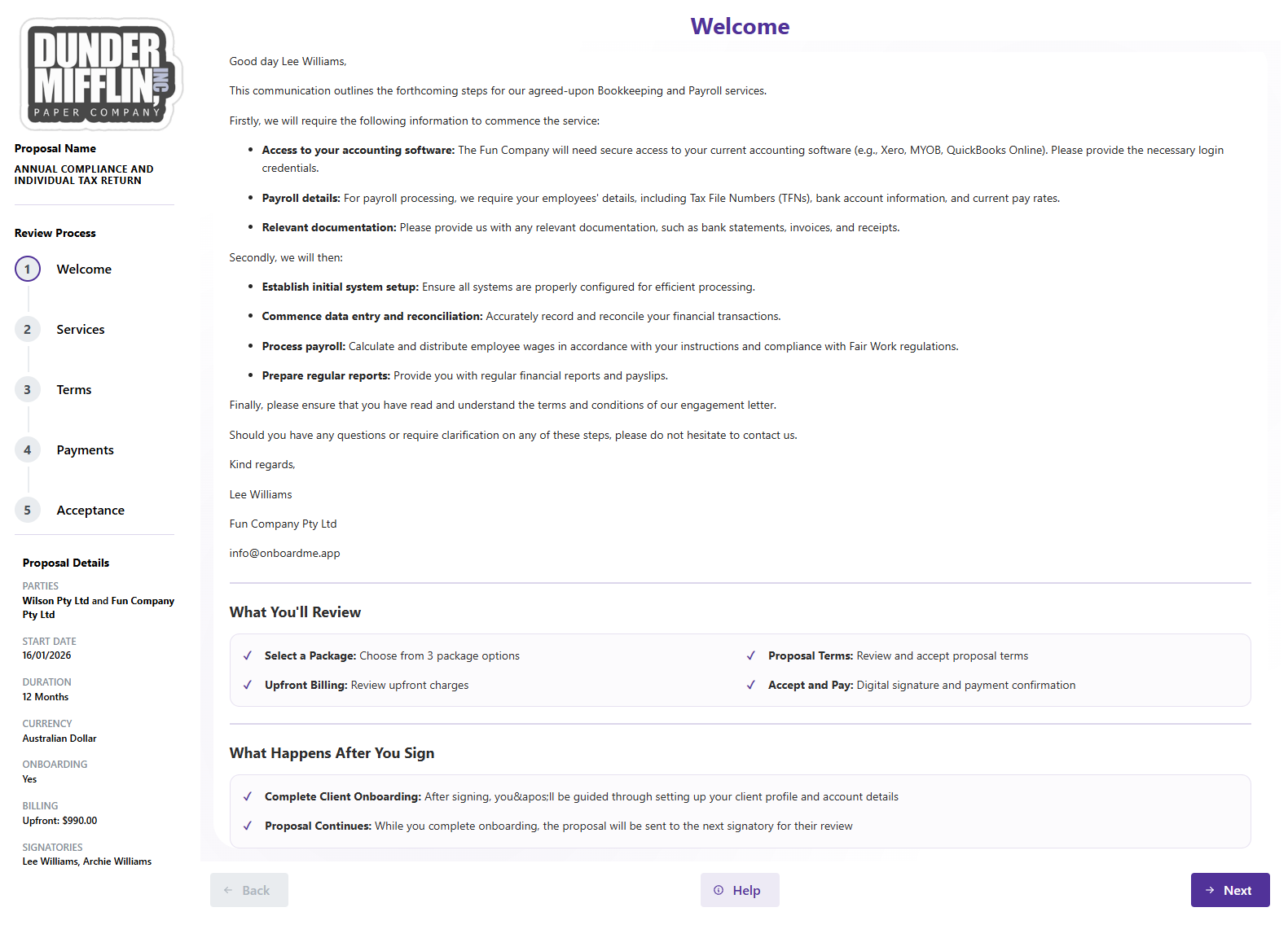
Integrated Welcome Page: The Welcome Page is now part of the active Review Process. This allows your customers to navigate back to the introduction at any time if they need to refresh their memory on the onboarding steps.
Enhanced Navigation & Branding: We’ve moved the navigation, proposal details, and your business logo to a fixed sidebar on the left. This provides a consistent sense of place and significantly reduces the amount of scrolling required on smaller screens or mobile devices.
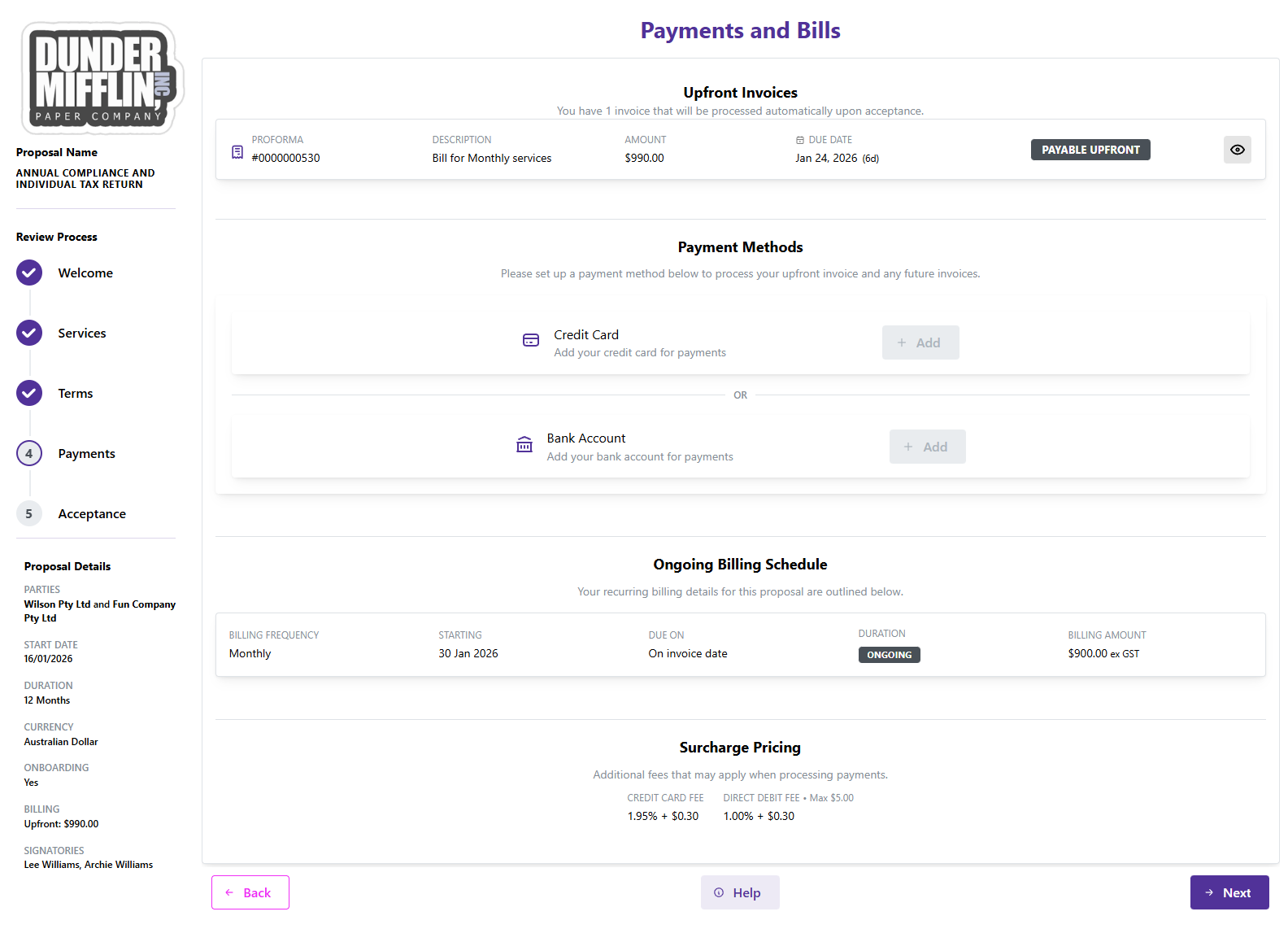
Clearer Billing Breakdown: Upfront and Ongoing Billing are now clearly separated on the Payments and Bills step. By splitting these into distinct sections, your clients can more easily distinguish between immediate costs and long-term commitments, reducing confusion during the approval process.
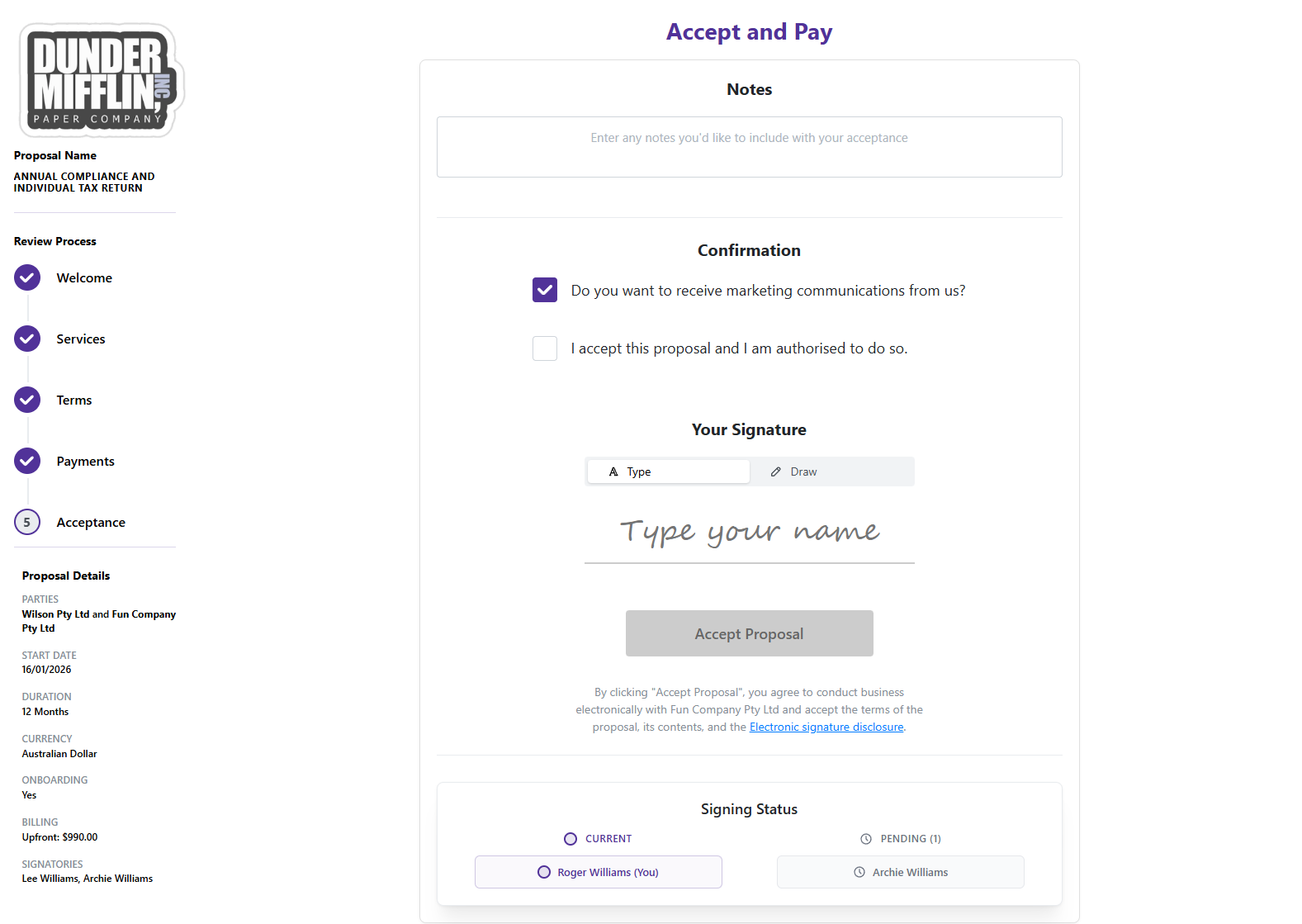
Streamlined Acceptance: The Acceptance Step has been redesigned to follow the same intuitive, top-to-bottom flow as the rest of the proposal, making the final sign-off quicker and easier for your clients.
Introducing the OnboardMe Wallet
We are excited to announce a simpler way to manage your additional usage costs. We have moved away from individual "per-unit" credits for ID Verifications and SMS messages.
Instead, we’ve introduced the Wallet.
How it works: Firms can now top up a single balance in their Wallet. This value is used across the entire OnboardMe platform for any billable services outside of Requests included with your subscription.
Why it’s better: No more managing separate balances for different features. You have complete flexibility to use your funds where you need them most.
To ensure a smooth transition, we have automatically migrated all your existing ID Verification and SMS balances into your new Wallet. Your current credits have been converted into their equivalent monetary value, ready for immediate use.
The Wallet Dashboard can be found in the Settings / Account area in the Current Plan and Wallet section.
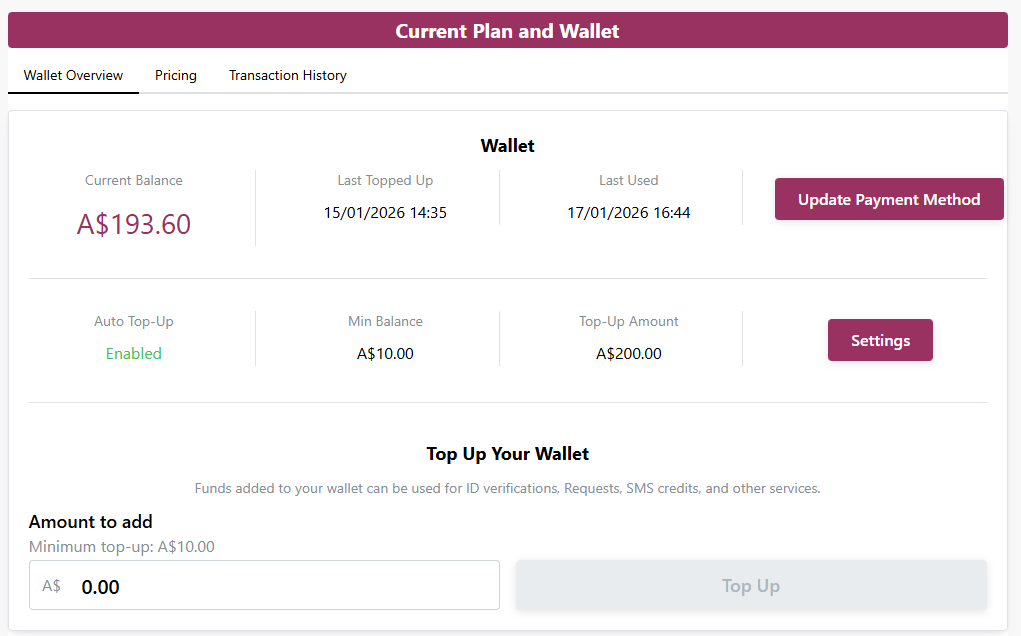
Manage your funds with the Wallet Dashboard
The new Wallet card gives you full control over your firm's spending. From this interface, you can:
Monitor your balance: View your real-time Wallet balance at a glance.
Manage Payments: Easily update the payment method used for all OnboardMe services.
-
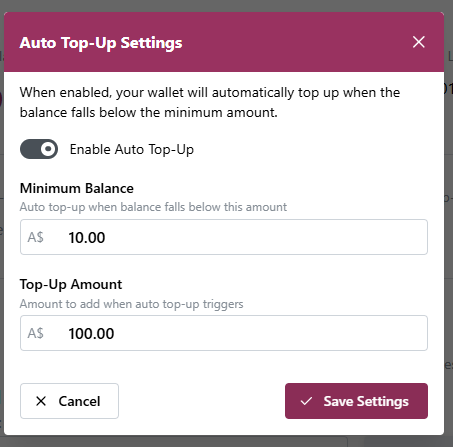
Automate your wallet: Manage your Wallet settings to ensure you never run out of credit:
Enable Auto Top-Up: Toggle automatic funding on or off.
Custom Thresholds: Set your own Minimum Balance and Top-Up Amount.
Seamless Continuity: OnboardMe will automatically top up your wallet once your minimum balance is reached, ensuring no interruptions to your ID or SMS services.
-
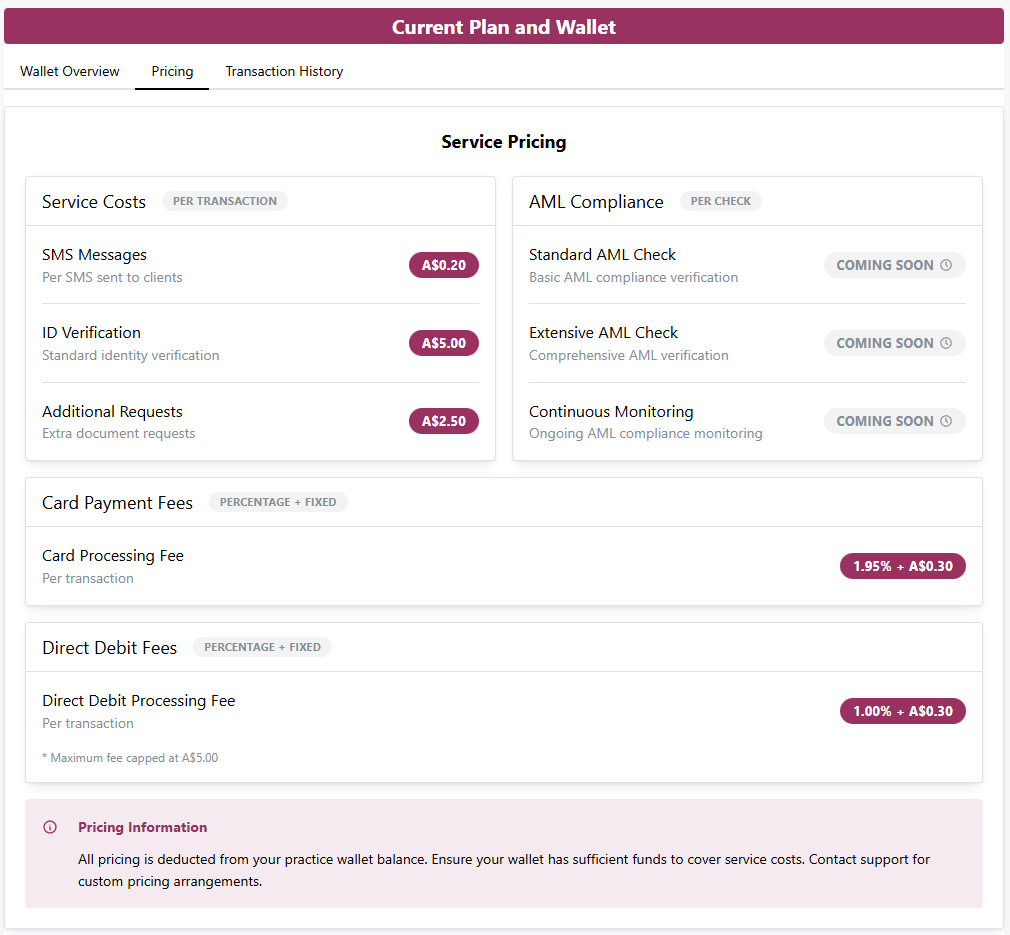
You can now view live pricing for all billable services directly within the Wallet. Stay informed on the costs for:
SMS Messages and ID Verifications.
Additional Requests and Payment Processing Fee's
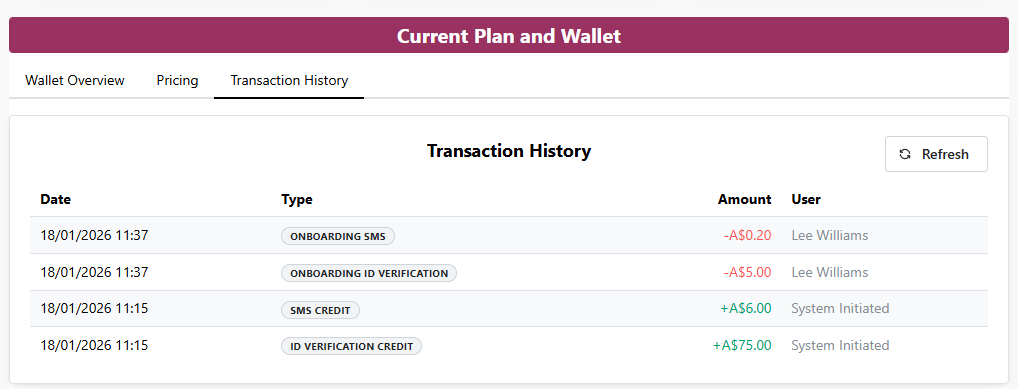
Maintain a clear audit trail with the new Wallet Transaction History.
Track every movement of your funds, including manual and automatic top-ups.
Review records of all charges for services like ID checks and SMS.
Easily reconcile your firm's spending with transparent, timestamped logs.
Client Onboarding
SMS Notifications for Onboarding — Enhancement
You can now choose to send an SMS notification to recipients alongside the standard onboarding email.
This is available for both new and existing onboardings.
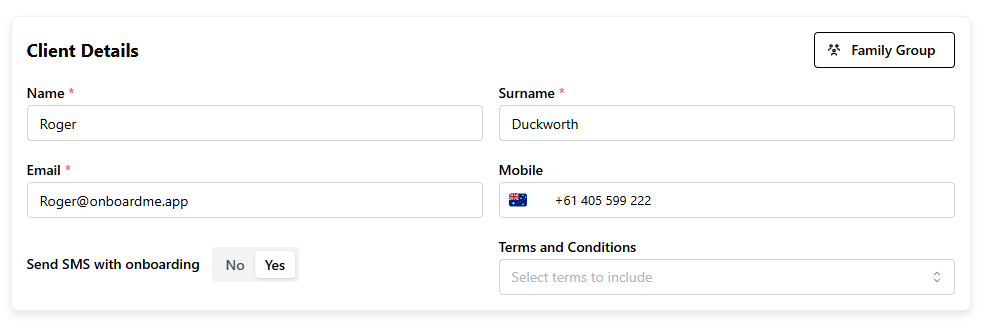
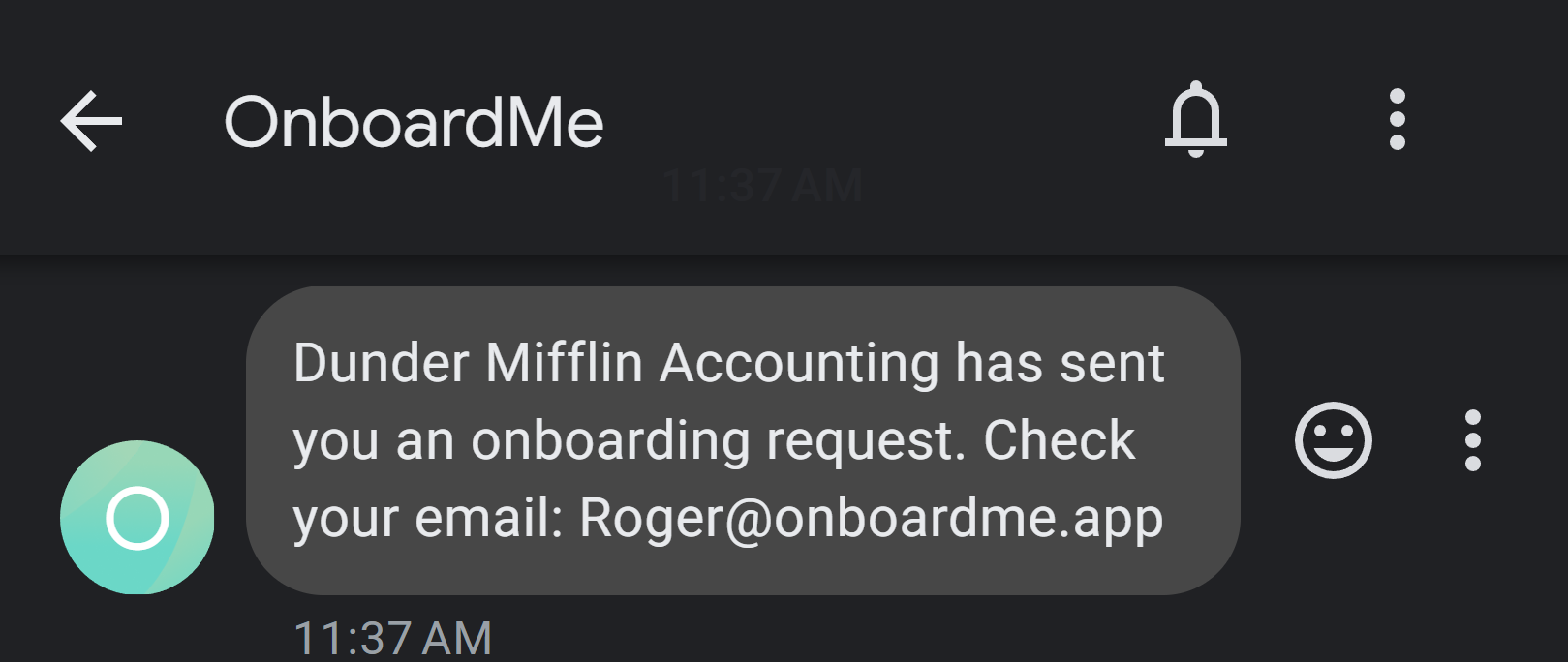
When are SMS sent? Messages are sent during the initial onboarding invitation or when manually re-sending an invitation.
Note on Reminders: Please note that automatic reminders will continue to be sent via email only and will not trigger an SMS.
Try it on us: To help you get started, we have added credit equivalent to 10 SMS messages to your Wallet so you can test this feature right away.
Still need help?
Contact us