
This release of OnboardMe introduces a range of new features and bug fixes. The changes are outlined below.
Enhancements
Proposal Services - Updated User Experience
Our team has been working closely with customers on the User Experience of the Services area in Proposals, and we're excited to launch the updated Proposal Services setup experience.
What's changed?
Previously, services were grouped by Frequency and users needed to click into each Frequency section to see and edit the services within it.
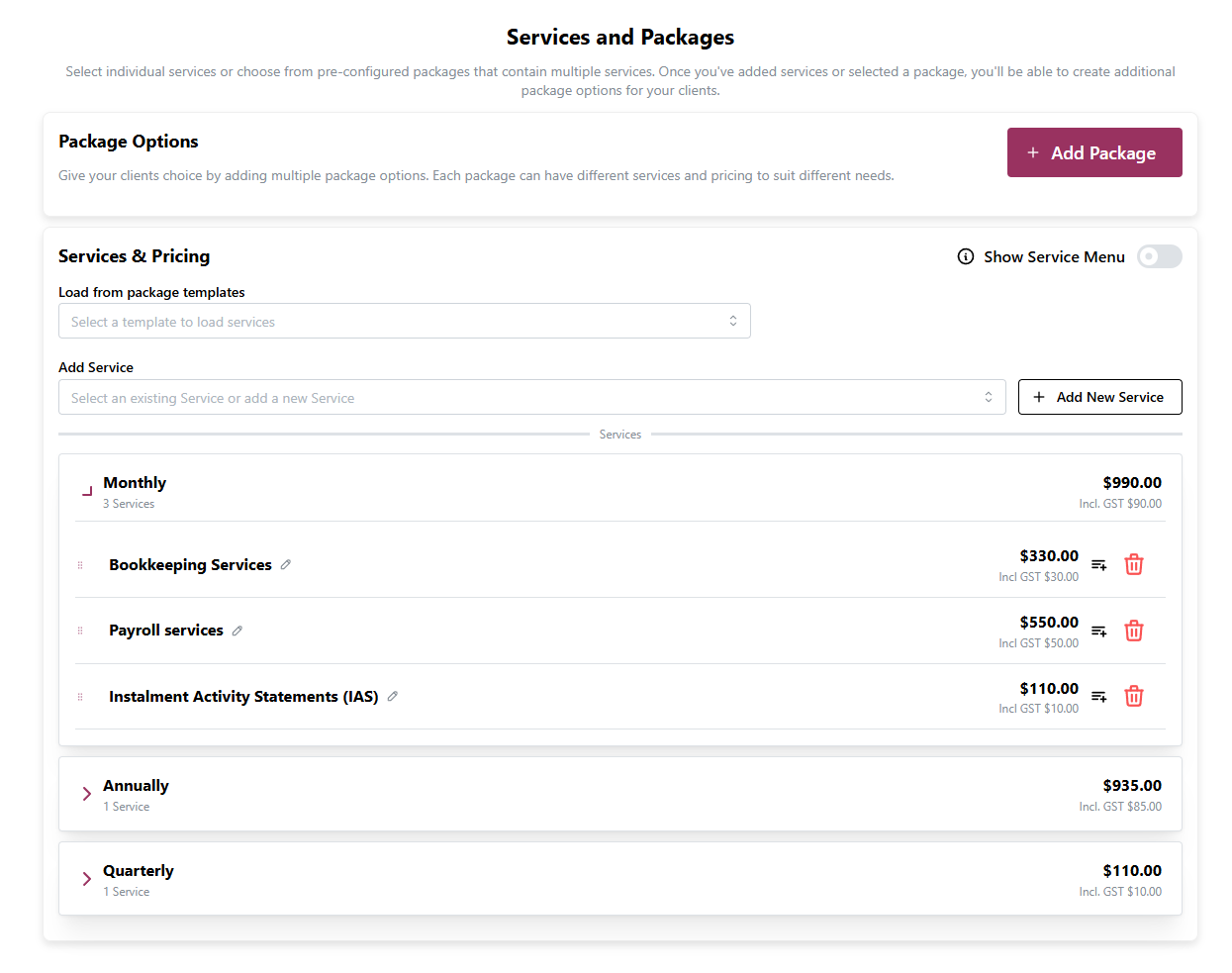
In our updated experience, the following changes are now available to all customers:
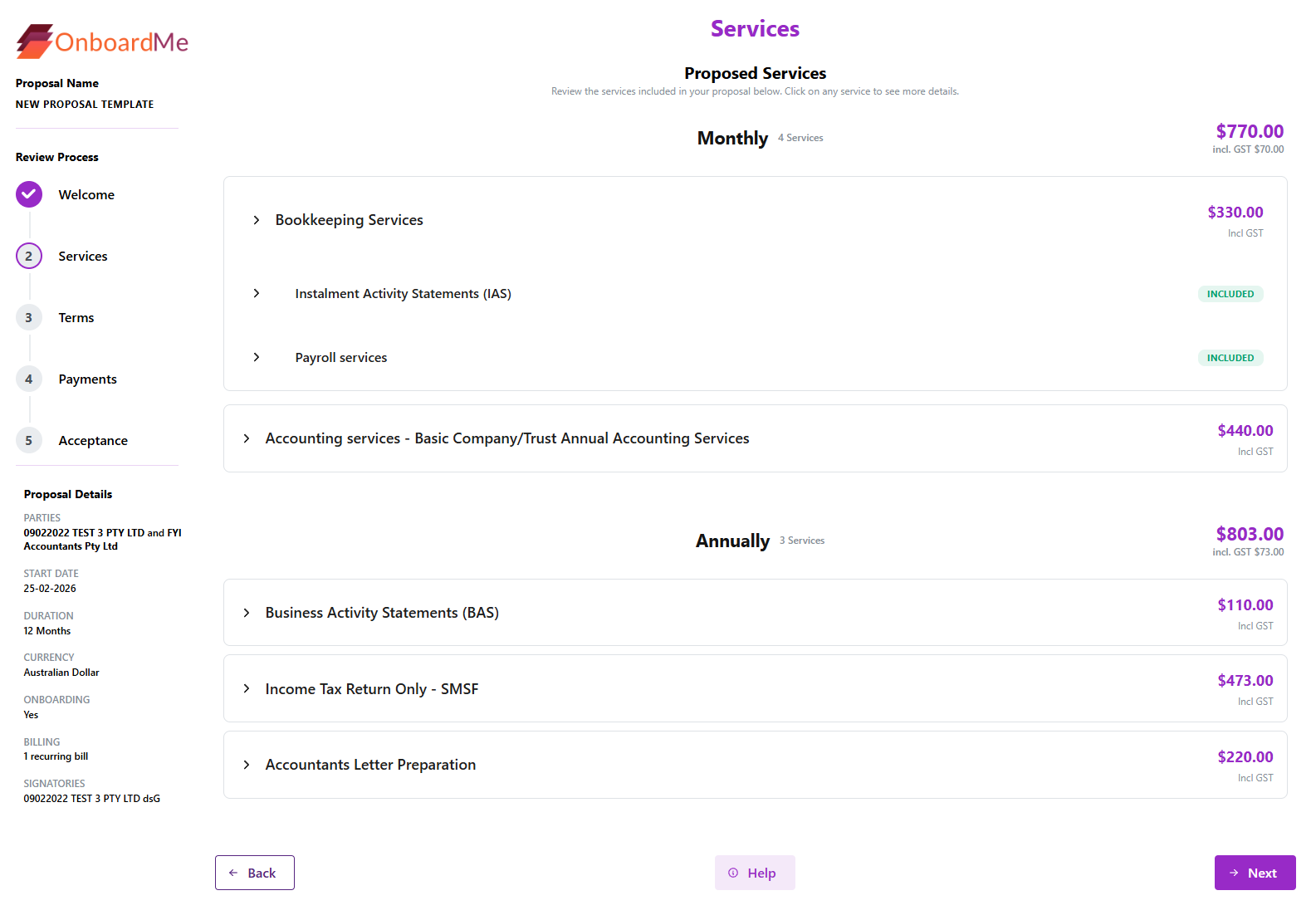
Flattened Service View: The collapse and expand interactions have been removed. Each Frequency is now expanded by default, giving you a complete view of all services and frequencies at a glance.
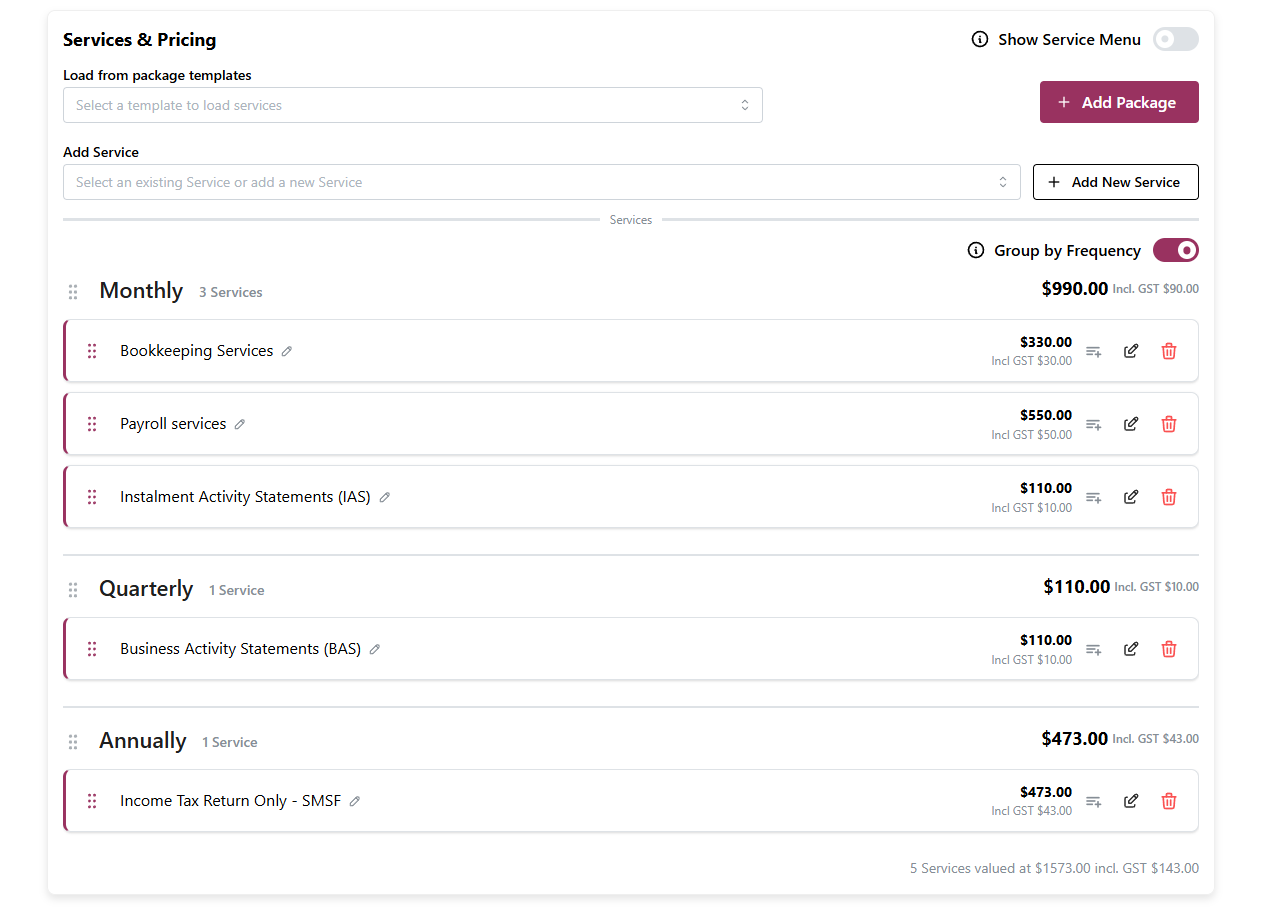
Consolidated Layout: The Package Options area has been incorporated into the Services and Pricing area, reducing clutter and making better use of space.
Improved Drag and Drop: Reordering services via drag and drop is now more accurate and smoother than ever.
Proposal Services - Toggle Frequency Grouping
We've added a new Group by Frequency switch to Proposal Services, giving you control over how your services are displayed.
How it works:
The toggle can be found in the top right of the Services section.
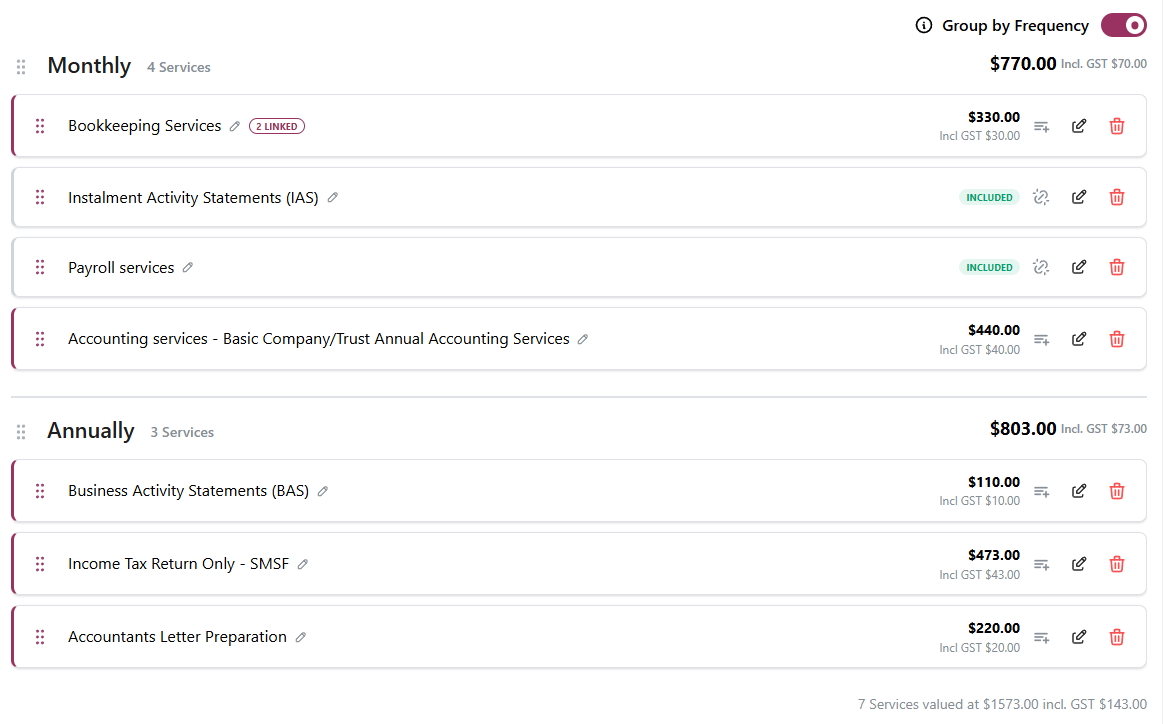
When enabled, services will continue to be grouped by Frequency as before.
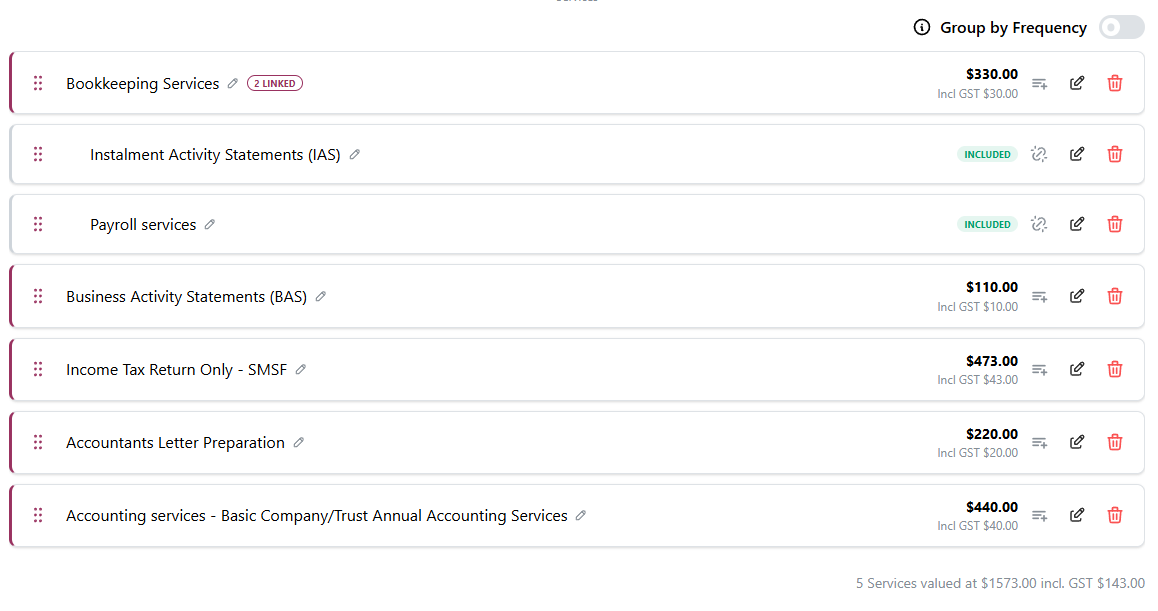
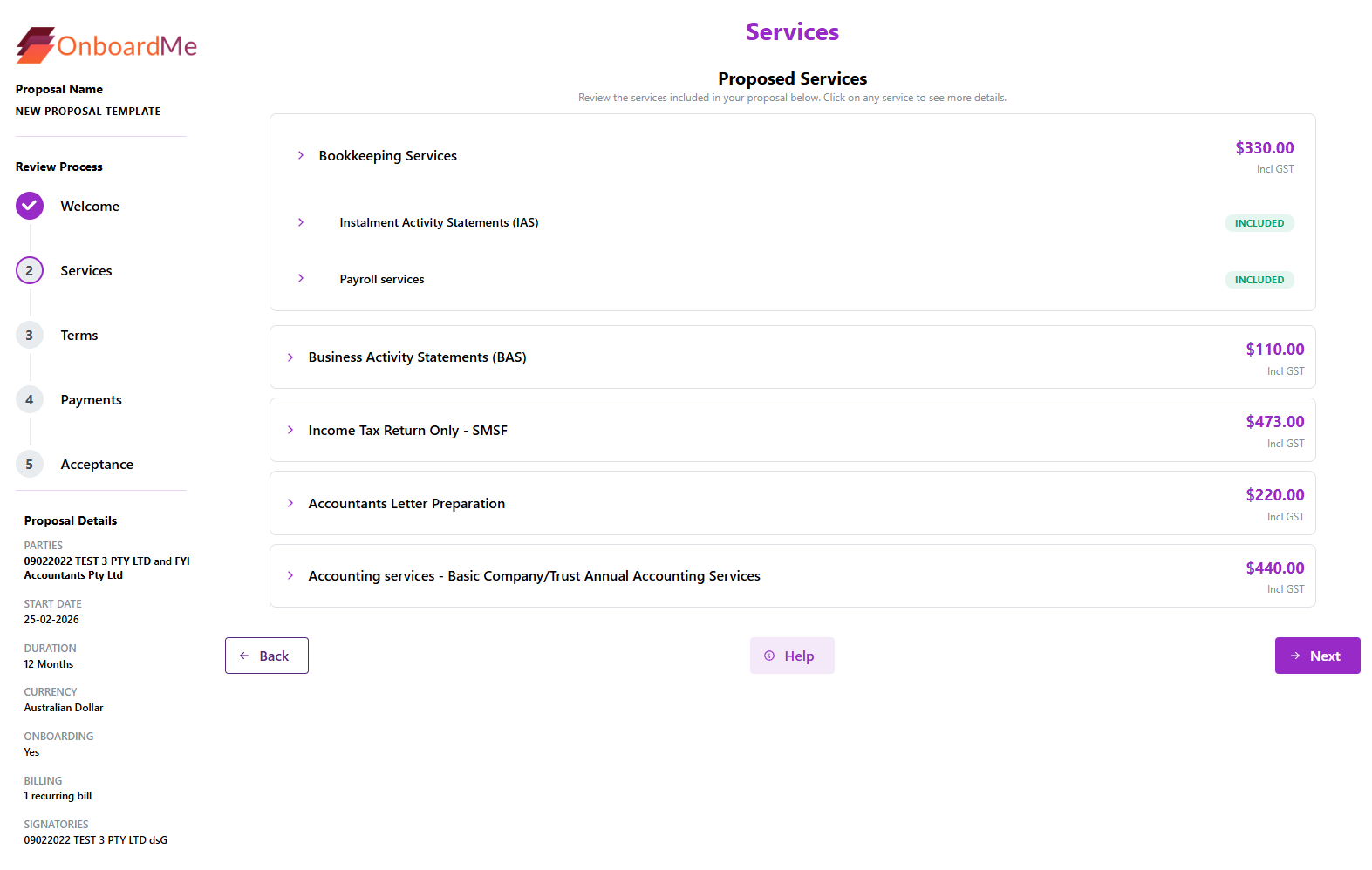
When disabled, services will be displayed in order with no Frequency grouping.
When disabled, Services will be shown in order with no Frequency grouping.
The setting is configured per Proposal and is also reflected in the Client Experience.
Grouped:
Ungrouped:
Proposal PDF - Updated Services Styling
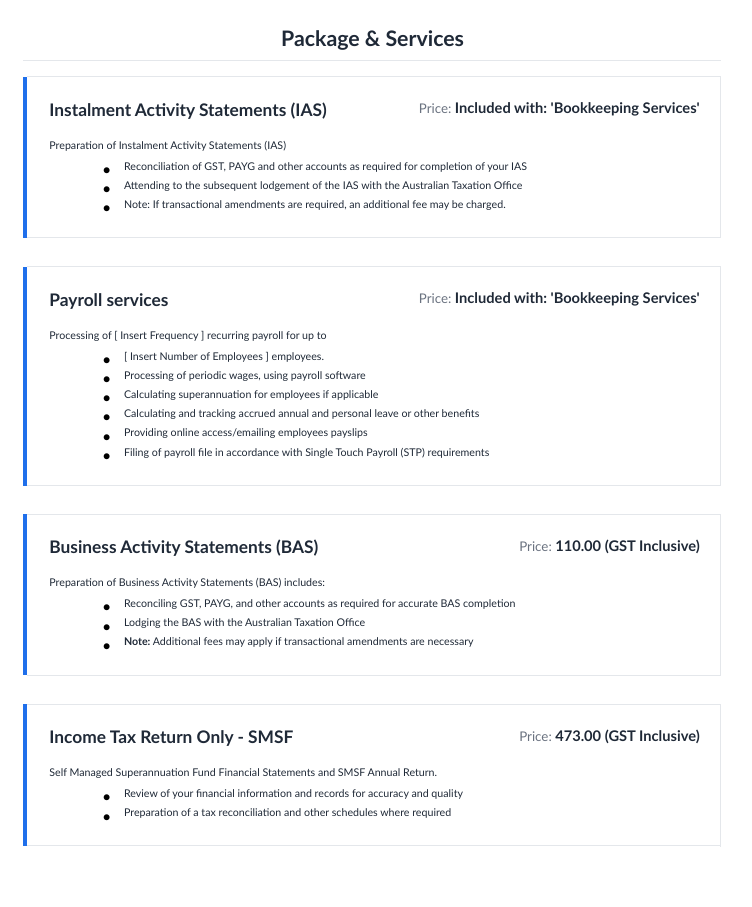
The Packages and Services section of the Printed PDF has also been updated to improve the styling and bring a more modern feel to the PDF.
Proposal Start and End Dates - User Determined Duration
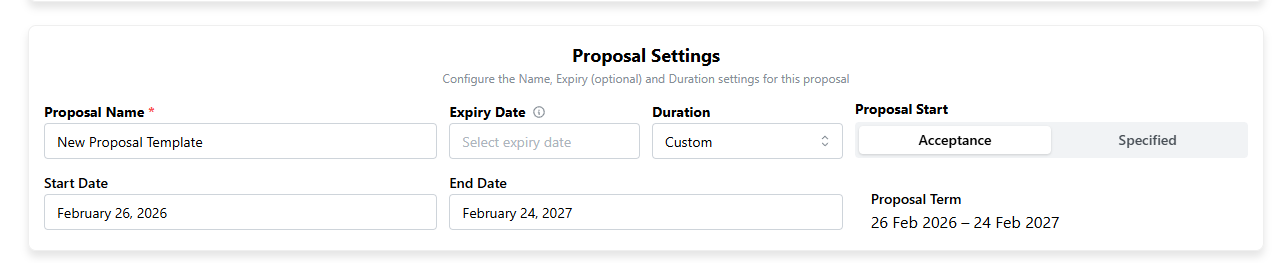
For customers who want to set custom start and end dates for Proposals, we've added a new Custom option in the duration drop-down.
When selected, the Start and End dates will become available for the user to adjust as required.
Onboarding PDF - PDF Enhancements
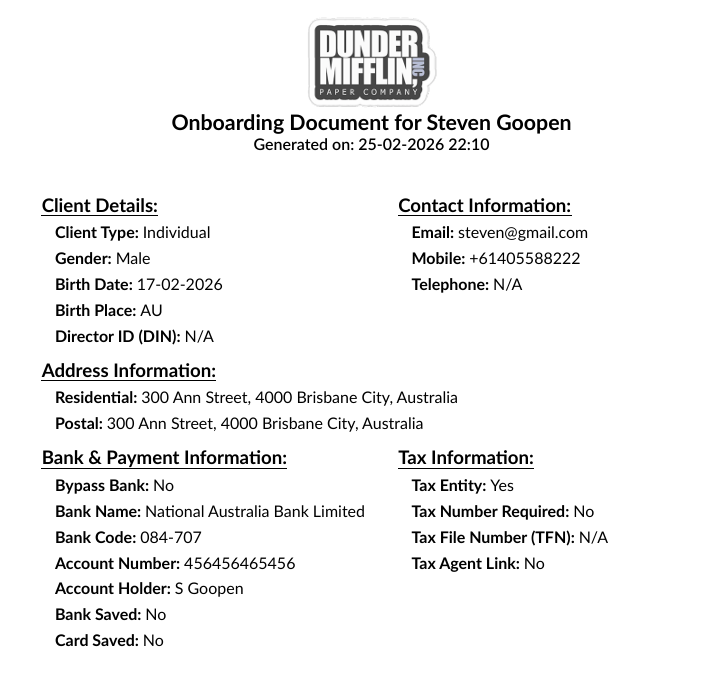
We've enhanced the Onboarding PDF layout by consolidating sections onto shared lines, reducing the overall length of the document and minimising vertical scrolling.
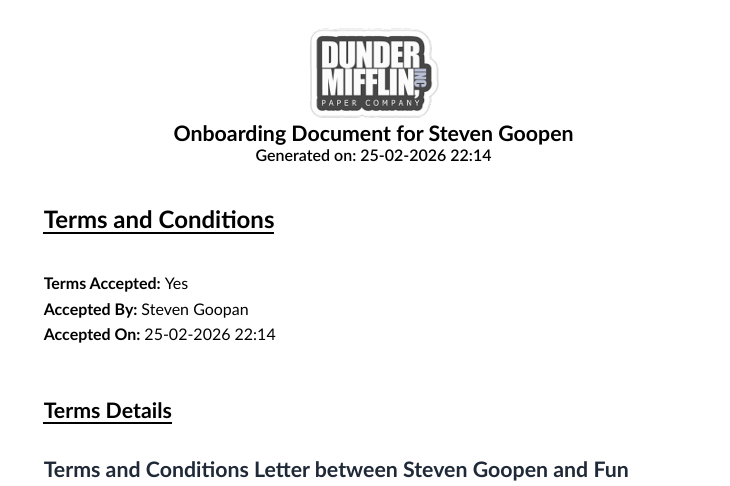
For firms using the Terms and Conditions with Onboarding feature, the Onboarding PDF now includes a dedicated Terms and Conditions section, displaying the client's acceptance and the specific terms they agreed to.
Client Onboarding - Tax Number Collection
For customers who request Tax Numbers using the "Require Tax Details" option in onboarding, you can now enforce Tax Number collection and not allow customers to not provide their Tax Number when Requested.
To activate this new option, go to Settings / Business and toggle the following option:
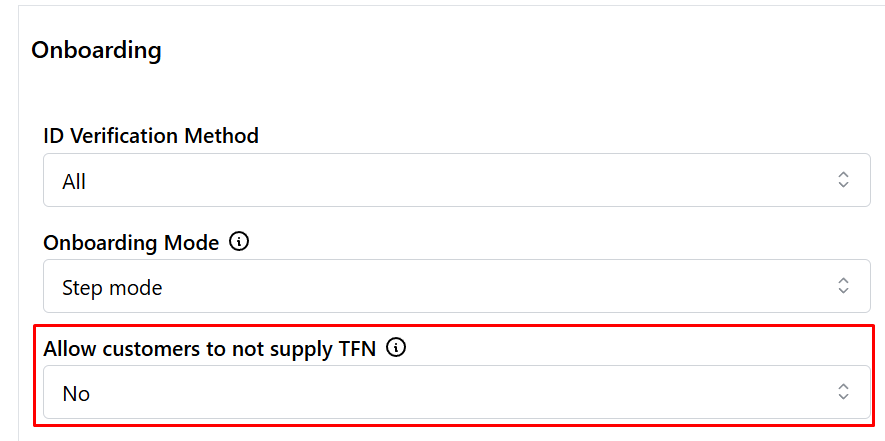
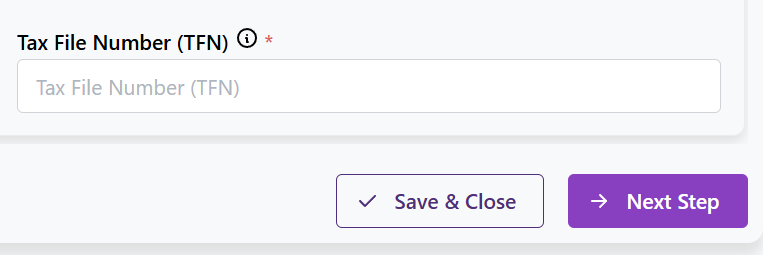
When set to Yes, the Don't Supply checkbox will be hidden during Onboarding and make the Tax Number mandatory
eForms - Extended FYI Integration
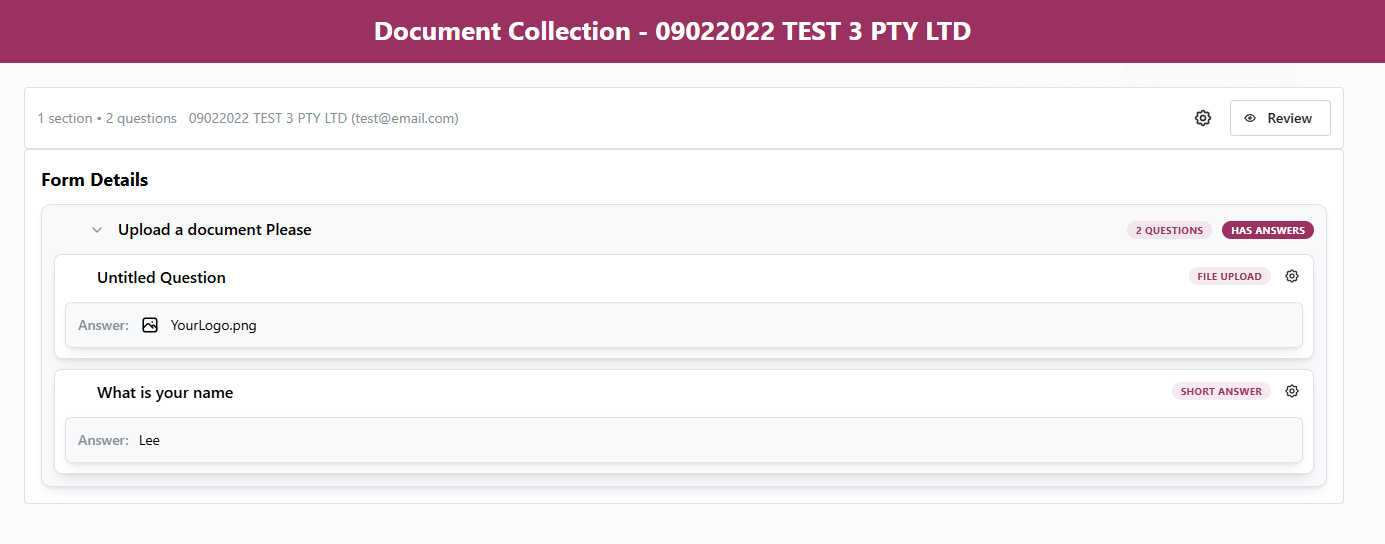
For firms using FYI, we've extended our eForms integration to support uploading of client-collected documents to FYI.
When an eForm contains documents collected from clients and you choose to generate a PDF and save it to FYI, a PDF of the eForm will be generated with any collected documents included and uploaded to FYI.
FYI Integration - Document stapling
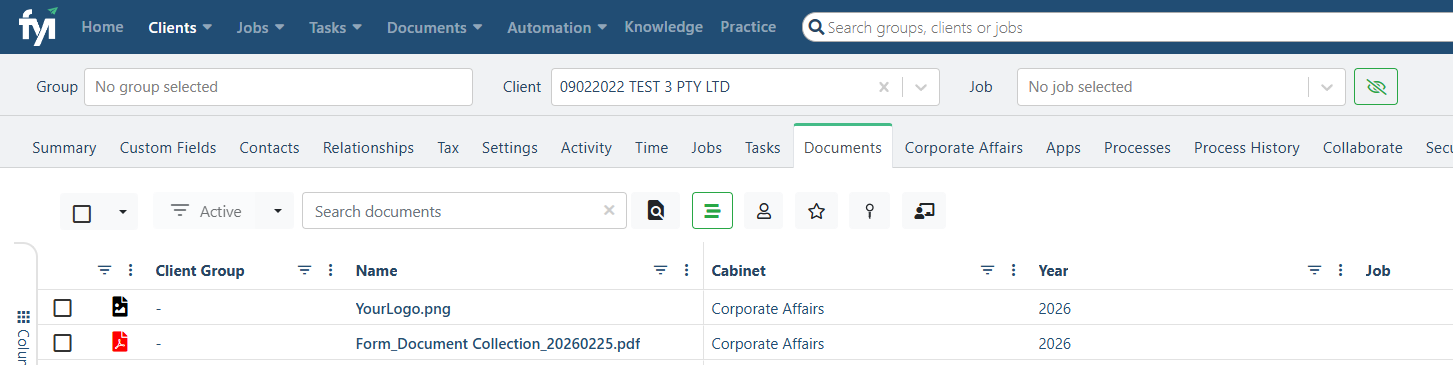
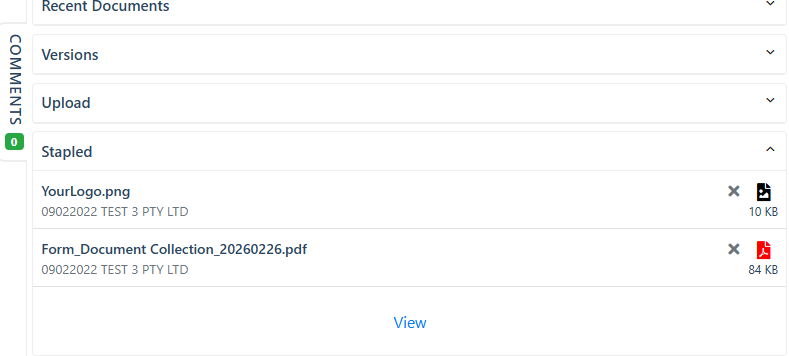
For firms using FYI, we've extended our document integration to support stapling of client-collected documents when uploading to FYI.
-
Onboarding
Any documents collected as part of an Onboarding will now be stapled together with the Onboarding PDF and Proposal PDF (if the request included a proposal) when uploaded to FYI.
-
eForms
Any documents collected as part of an eForm completion will be stapled together with the eForm PDF when uploaded to FYI.
Still need help?
Contact us