
This release of OnboardMe introduces a range of new features and bug fixes. The changes are outlined below.
Compliance Module
We're excited to announce the launch of our Compliance Module, designed to streamline identity verification and risk management.
What's new:
This release introduces a new Identity and AML check provider that enables secure, robust identity verification and AML screening directly within OnboardMe. The new Compliance Module gives you a unified view of each client's risk profile and AML status at a glance.
Available now to all OnboardMe Subscribed customers.
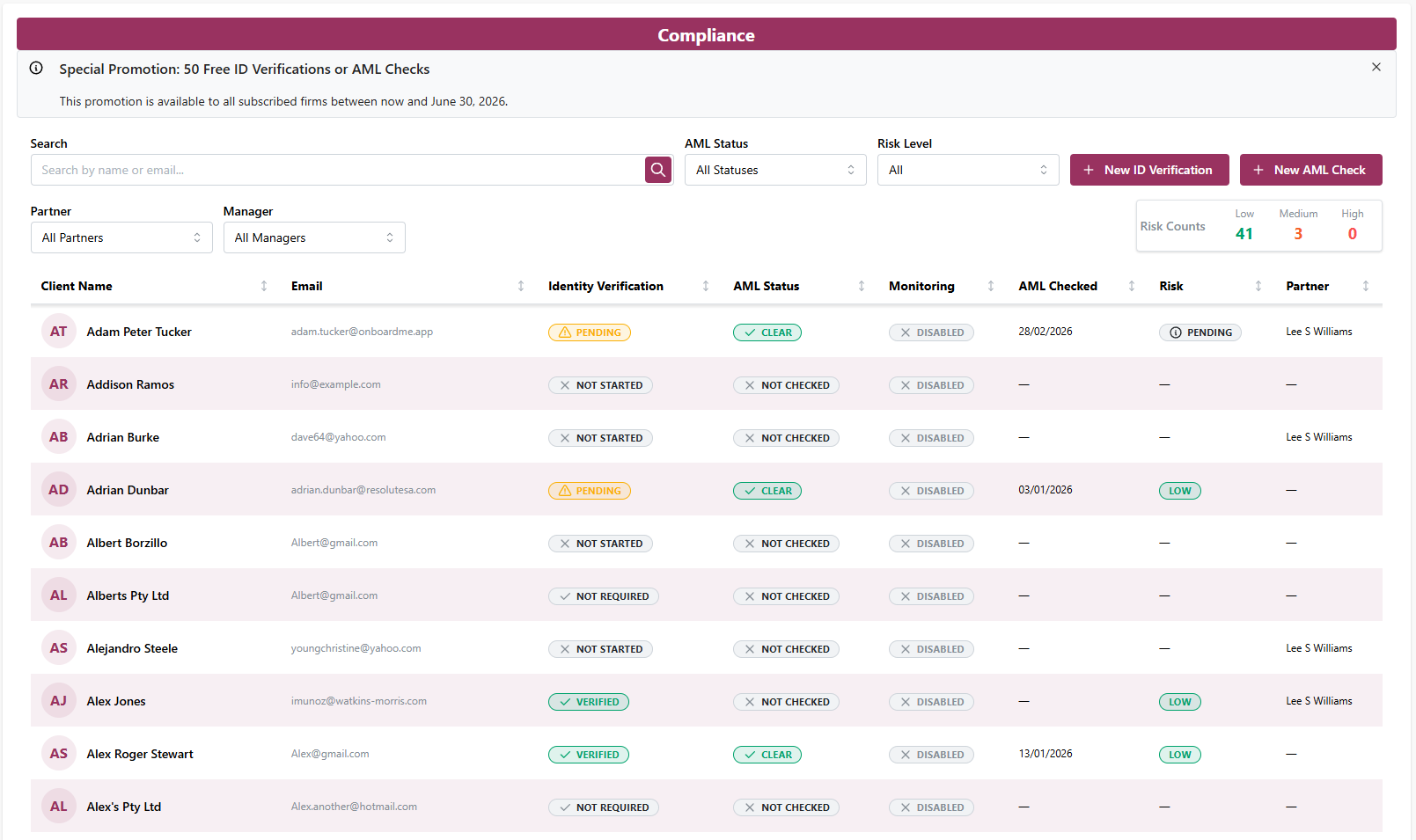
The Compliance module allows any OnboardMe subscriber, the ability to create (50 free) Identity and AML checks for their clients and see the AML Checks complete in a few seconds automatically.
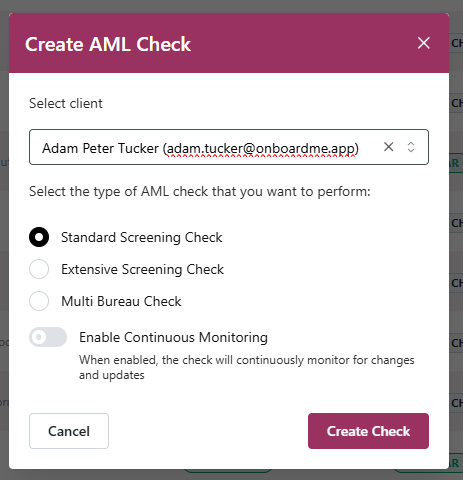
Running an AML check is as easy as clicking "New AML Check" and selecting the appropriate AML Check you'd like to run and click Create Check.
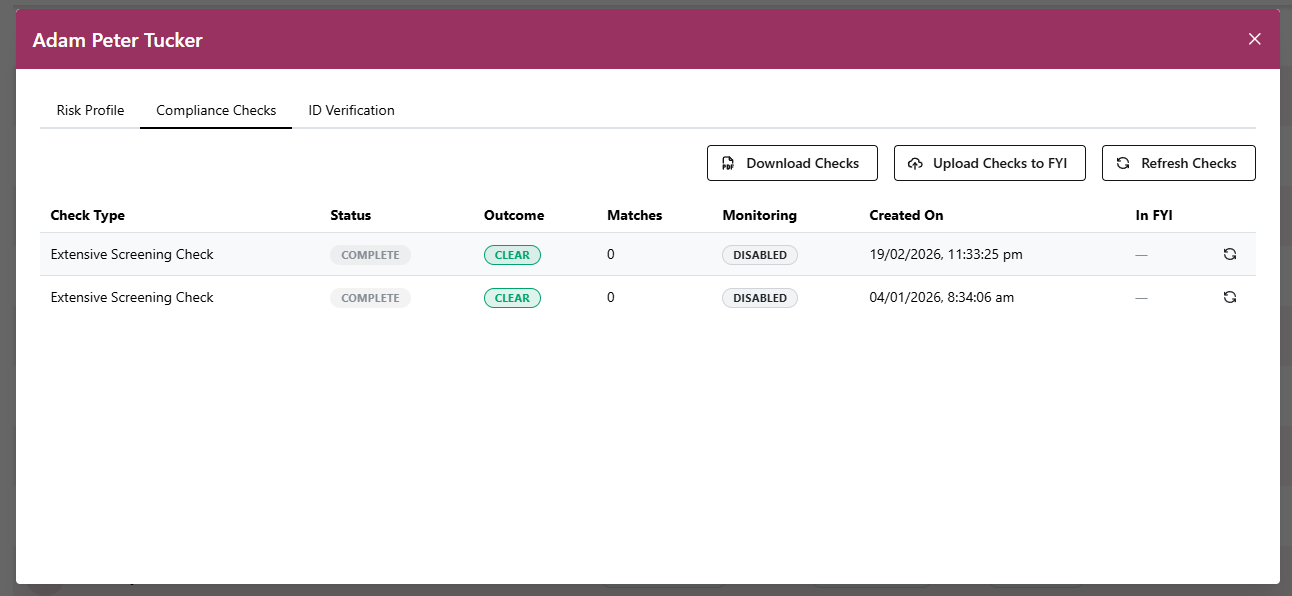
All Identity and AML Checks completed can be viewed by clicking on the Client row in the table and going to Compliance Checks.
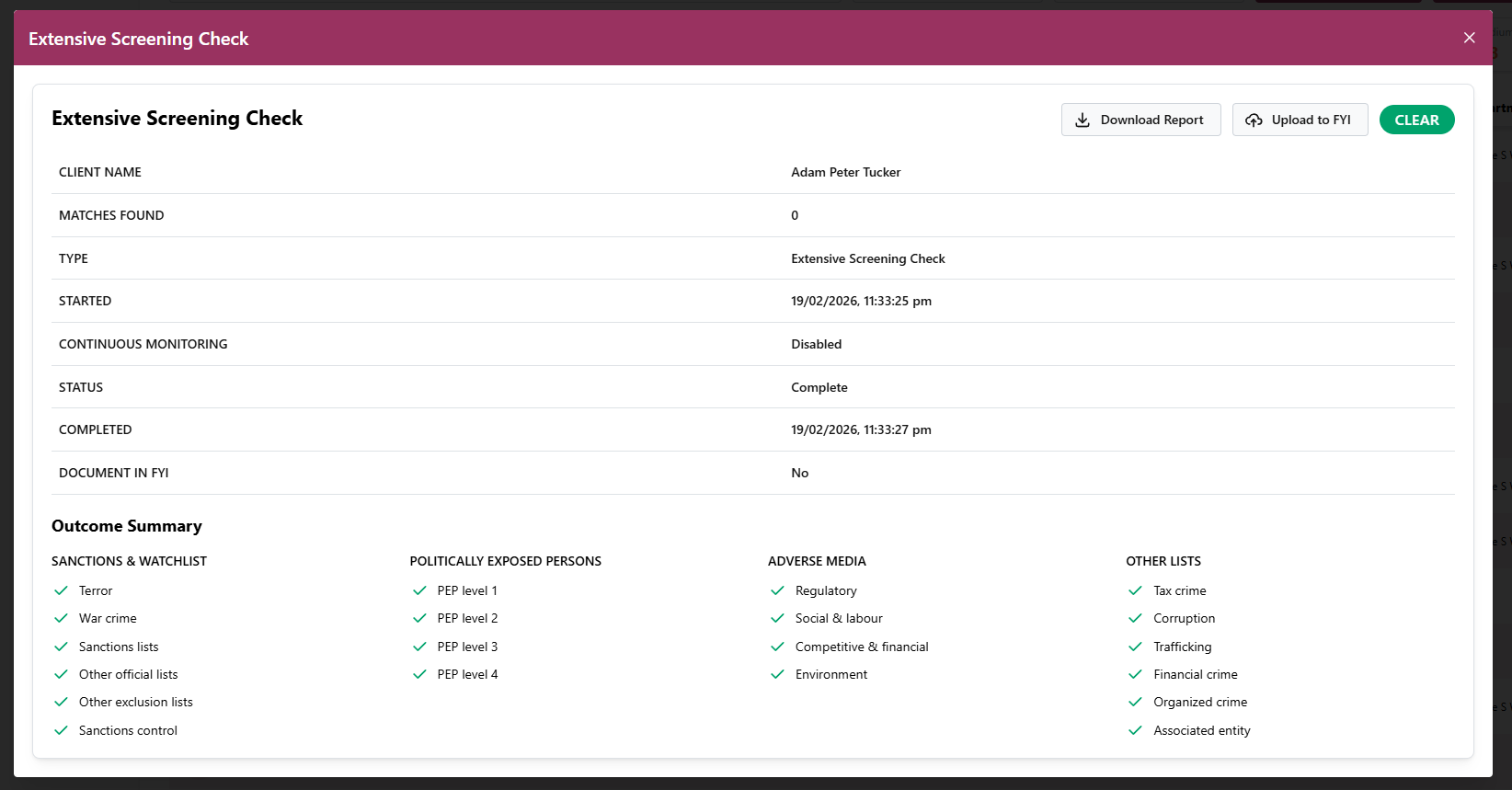
Each Compliance Check can be clicked on and the results viewed or Report Downloaded.
Using the new Identity Provider
When setting up a Client Onboarding (either via proposal or in the Onboarding area) or sending an ID Verification from the ID Verification module or Compliance Module, the Identity Provider drop down will now contain options for the new Identity Provider.
When requesting an ID Verification, you can choose one of the following:
-
Identity Verification Only
This will do an Identity Check, Document Check and a Multi Bureau check for the indvidual.
-
Identity Verification + Basic AML
This will do all 3 Identity Checks and include a Basic AML check (PEP level 1)
-
Identity Verification + Extensive AML
This will do all 3 Identity Checks and include a Comprehensive AML Check (Pep level 4 including Adverse Media)
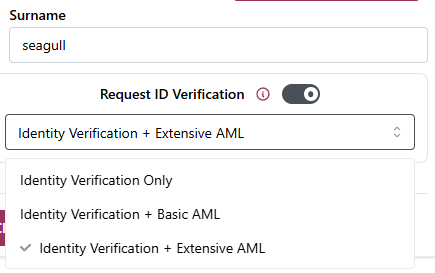
Important Note: We have retired Stripe Identity in favour of our new Identity Provider for a streamlined Identity and AML service.
Xero Billing Integration
Xero Tracking Categories
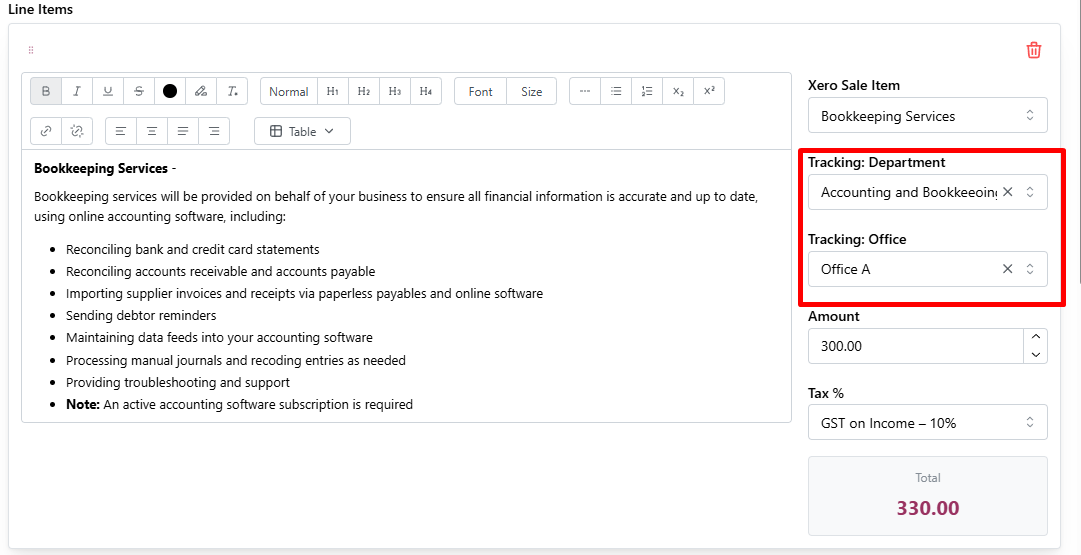
For customers who use Xero Tracking Categories, we've introduced the ability to assign Tracking Categories to each Bill Line item (regular bill or repeating invoice).
Xero Tracking Categories and Category Options will be synced from Xero overnight (manual syncing can be done via the Settings / Integrations area).
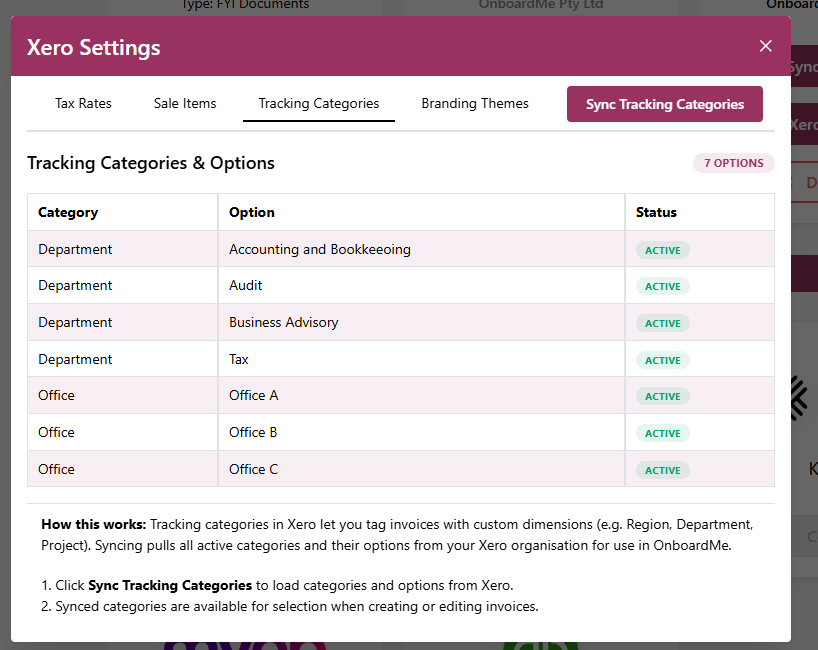
When OnboardMe has Xero Tracking Categories available, Tracking Category inputs will become available on each bill line item.
Branding Theme for Xero Repeating Invoices
When creating a Xero Repeating Invoice, firms can now select the preferred Branding theme for the Repeating Invoice Template when creating the Template in OnboardMe.
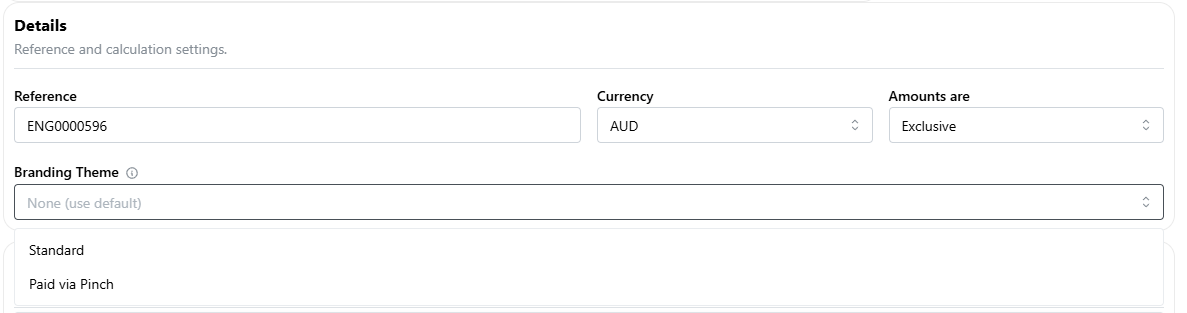
If the Branding Theme selector is left blank, the default theme in your Xero file will be used for the Xero Repeating Invoice template created from OnboardMe.
Updating Branding themes on existing Xero Repeating Invoice templates must be done via Xero, as Xero does not allow editing of Templates via is API.
Proposals
Proposal Renewal Dashboard + Workflow
A Renewals Dashboard and workflow have been added to OnboardMe to simplify the Renewal Process for your business.
What's Changed
-
A Renewals Dashboard has been added to OnboardMe Proposals
This Dashboard will show Proposals due for renewal or expiring within the date ranges in the top filter area.
-
Due for Renewal and Renewed Statuses have been added to Proposals
On the first day of each month, OnboardMe will automatically mark any proposals who's end date is in the current month to Due for Renewal.
An Email notification will go out to any OnboardMe Proposal senders showing a list of clients due for renewal this month.

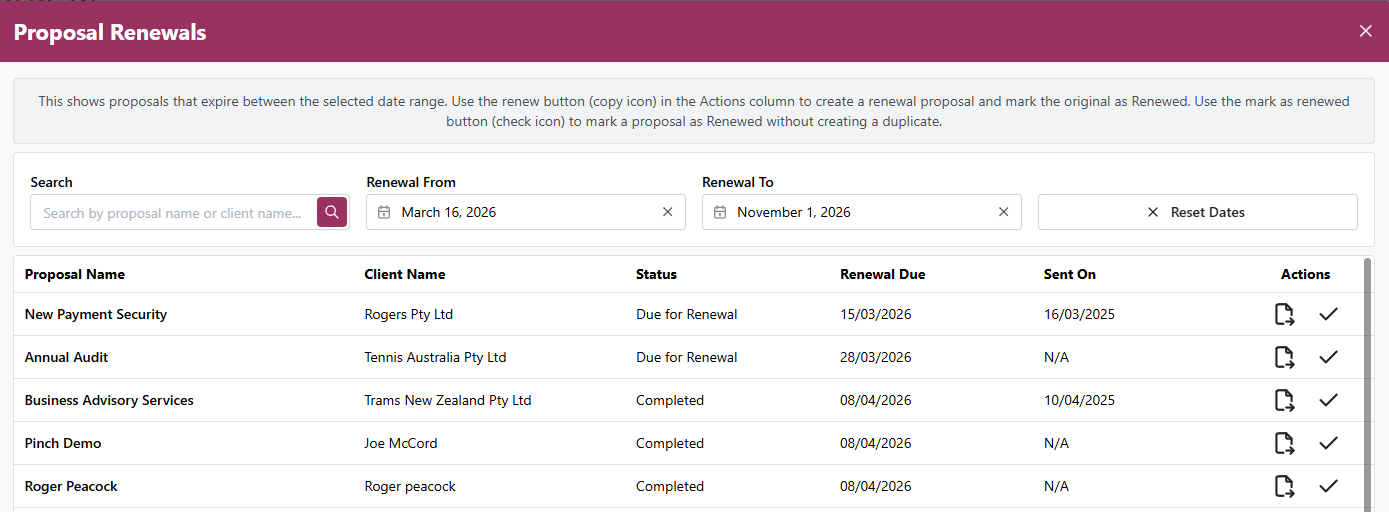
The Proposals dashboard allow you to renew a proposal or mark a proposal as Renewed.
When selecting to renew a proposal, we will duplicate the proposal and open up the Proposal Editor while marking the original proposal as Renewed.
When selecting to mark a proposal as renewed, we will update the status of the proposal to renewed.
Proposal Services - Tax Inclusion switch
Customers can now toggle Tax / GST / VAT on and off for all Proposal Services when compiling a proposal.
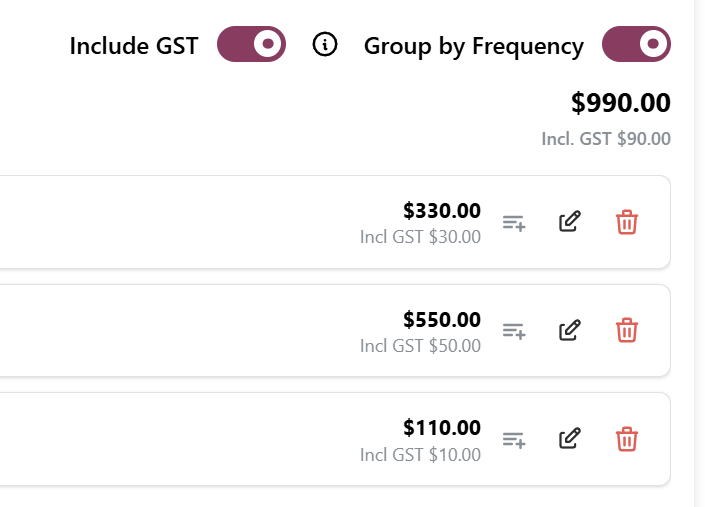
When Including Tax, all services will have the countries tax rate selected automatically.
When excluding Tax, all services will have a 0-tax rate selected automatically.
Improved Expired Proposal Handling
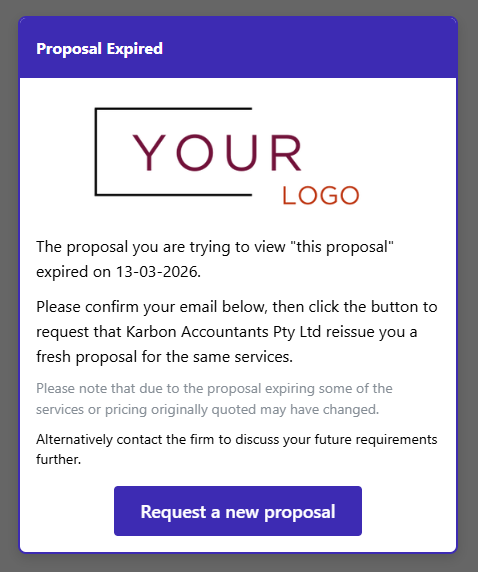
Customers can now request updated proposals when accessing expired proposals, instead of being unable to take any action.
What's Changed
Customer Experience
When a customer accesses an expired proposal, they'll be asked to verify their email (as before)
After email confirmation, a "Request a new proposal" button becomes available (if expired)
-
When customers request a new proposal:
OnboardMe sends an email notification to the proposal creator
The customer is automatically redirected to your website
Admin Experience
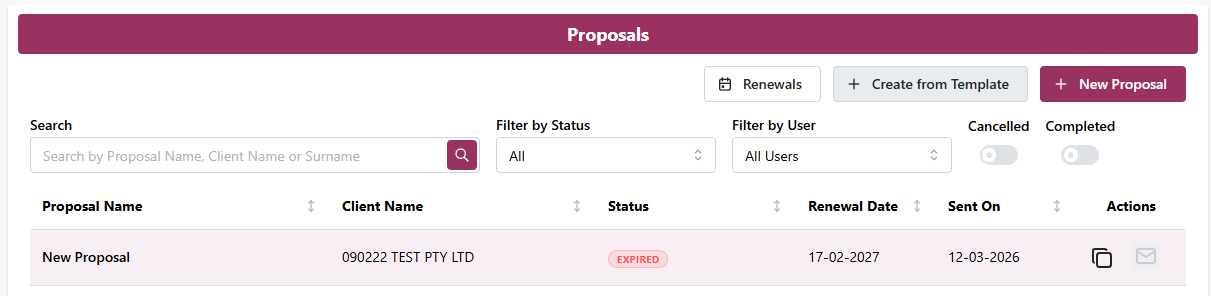
When resending a proposal, the system now includes expiry date validation:
Expired proposals: Cannot be resent. Expired proposals display with an "Expired" status on the Proposals page
Expiring soon (within 5 days): You'll be prompted to confirm and optionally update the expiry date before resending
Already expired (past date): The system prevents resending until you extend the expiry date
Proposal History
What's Changed
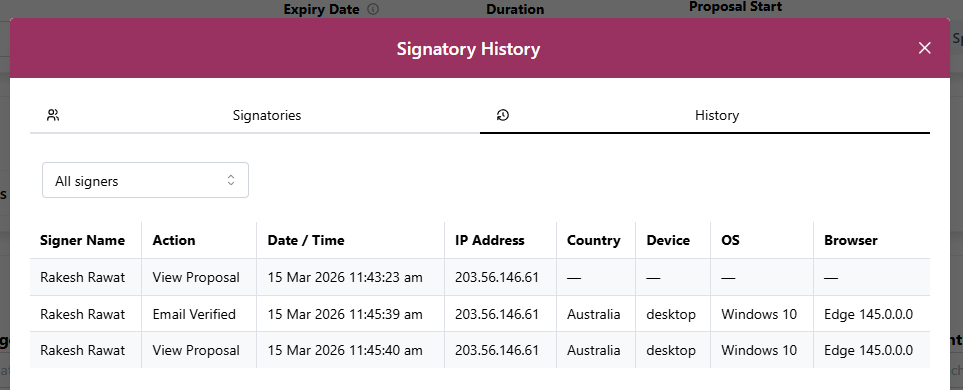
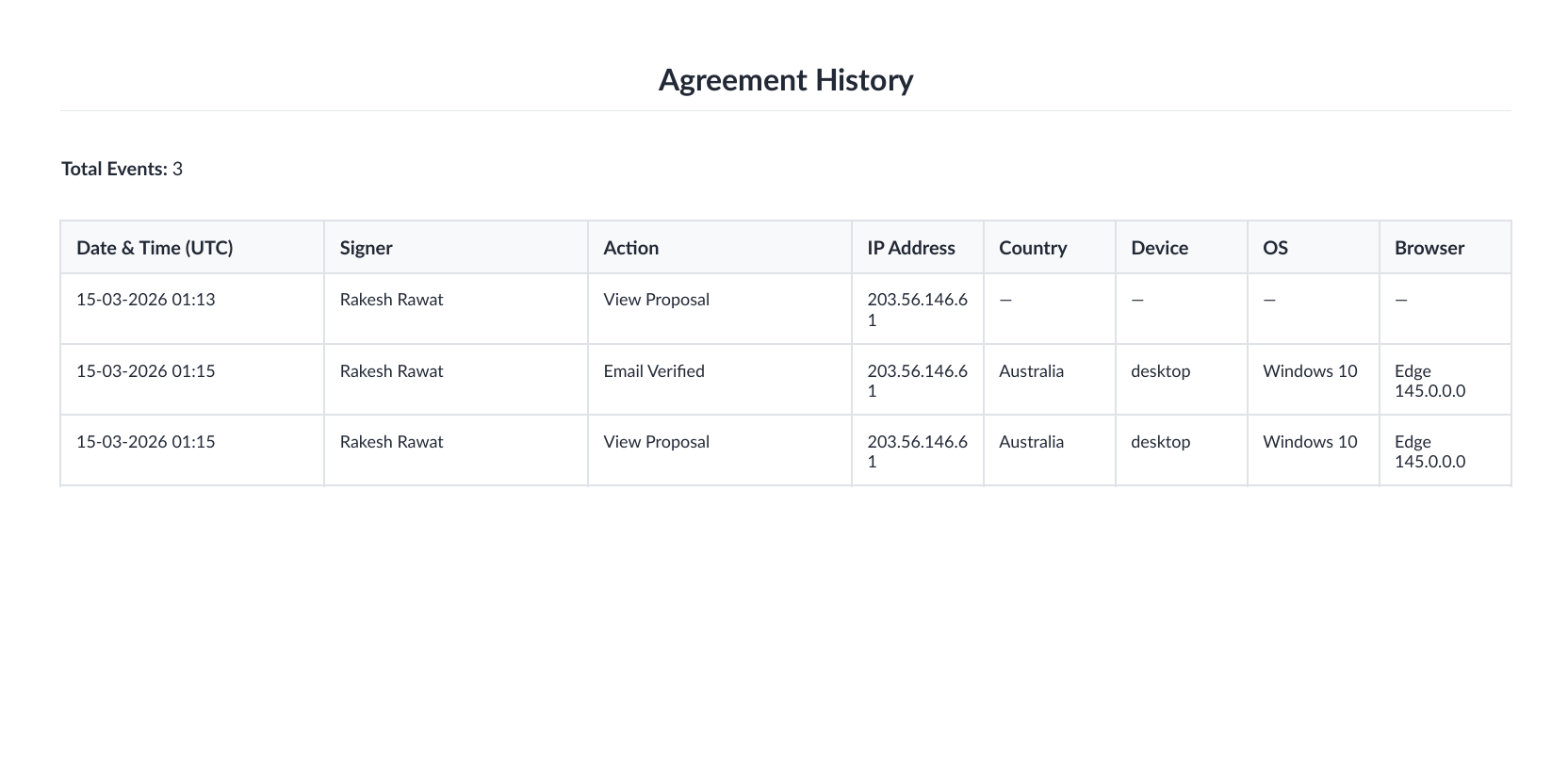
The Proposal History now includes expanded audit information, allowing you to track:
The device used to access the proposal
Additional device metadata
This information is displayed in both:
Audit History (in the web interface)
Proposal PDF (automatically generated by the system)
The Proposal History page has been switched to landscape orientation to accommodate these additional fields.
Client Onboarding
Onboarding History
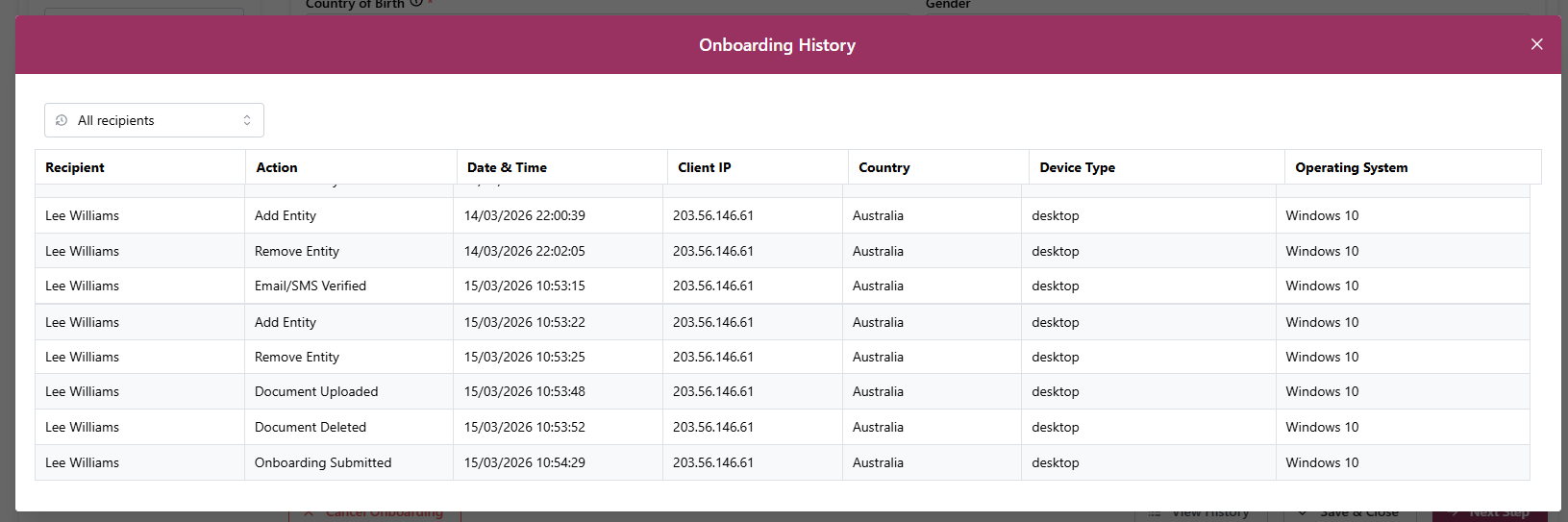
We've introduced audit logging to the Client Onboarding process, similar to Proposals.
What's Available
For Business Users:
A new History button is now visible in the Onboarding Review area
-
View a complete audit trail of recipient activity, including:
Email and mobile number verification (2FA)
Key actions completed during onboarding, including ID Verification start/complete, document uploads/removal, and adding/removing entities

Important Note
Audit history is only available for onboardings created or accessed after this release. Existing onboardings will not have historical data.
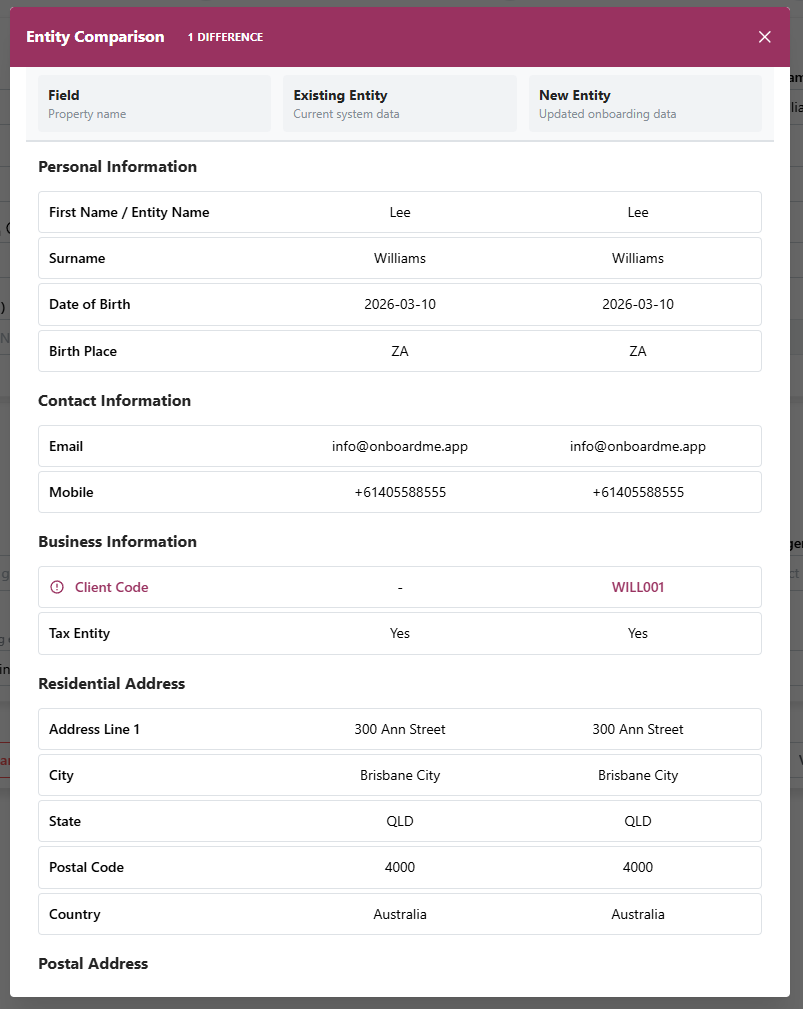
Re-onboarding: Compare existing client details with onboarding
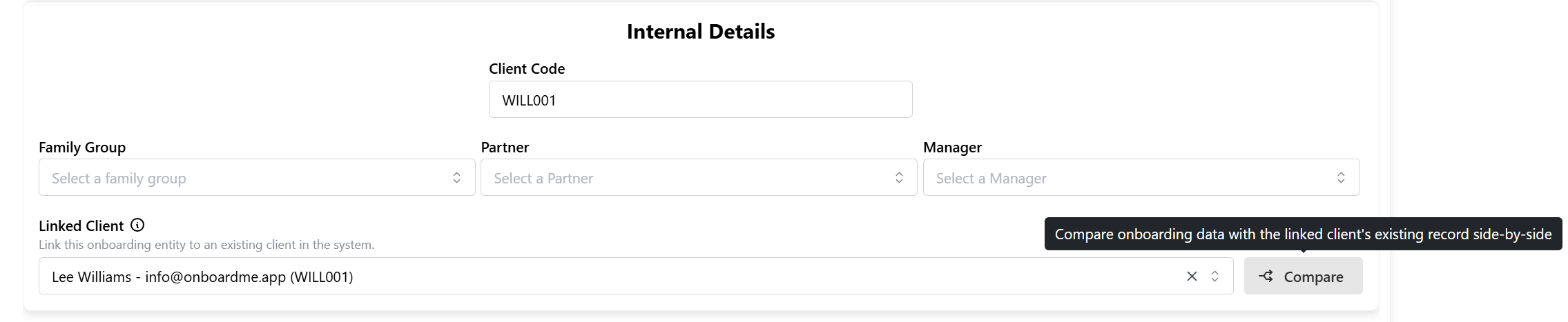
For customers who use the client re-onboarding feature, a new Compare button has been made available that will allow you to compare the existing clients' details with the re-onboarding details.
Ethical Letter / Clearances
Ethical Clearance Document Templates
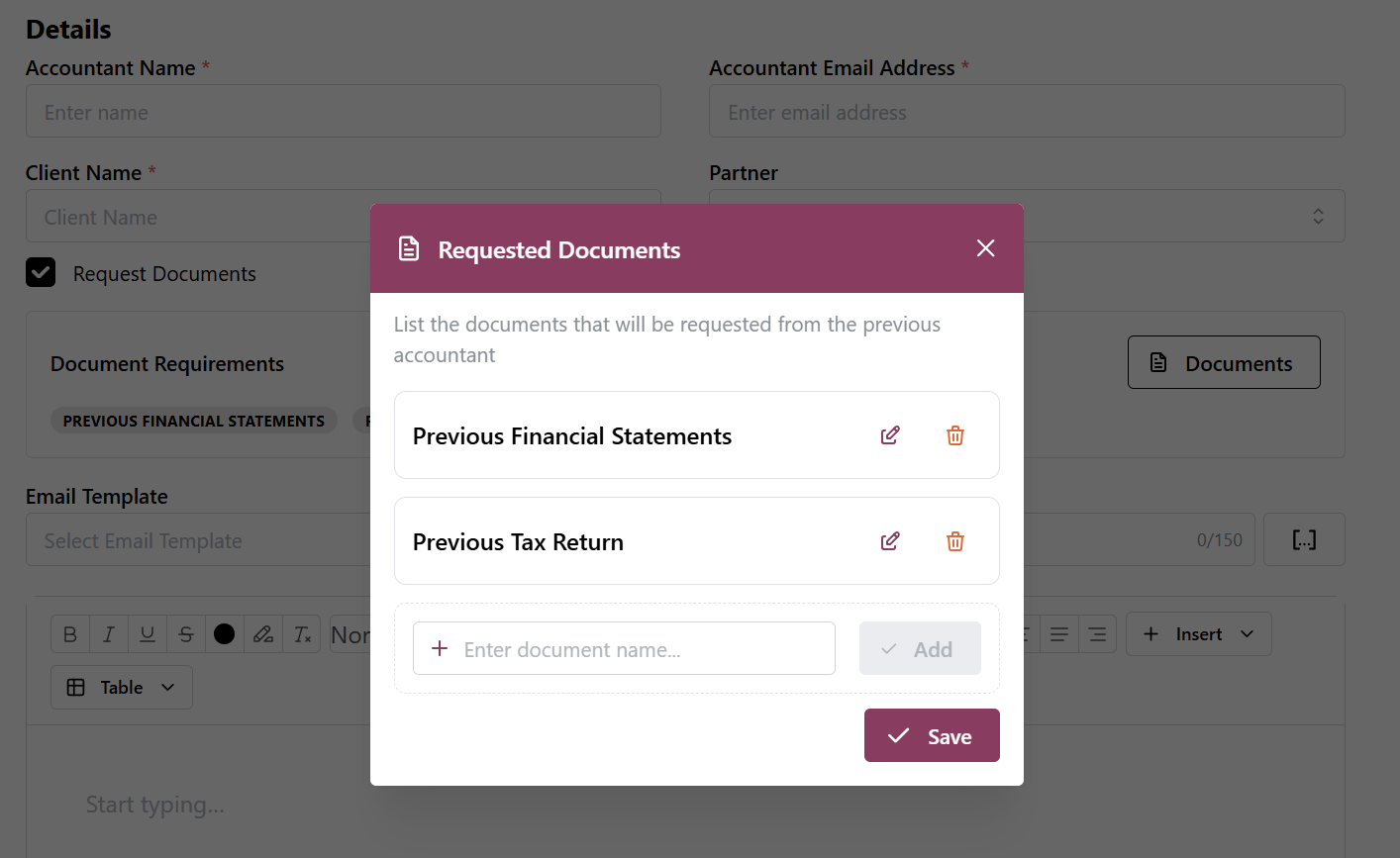
When request documents from the previous accountant, firms have the ability to setup a list of documents you regularly request.
Navigate to Templates / Document Templates and click on Ethical Letter Documents.
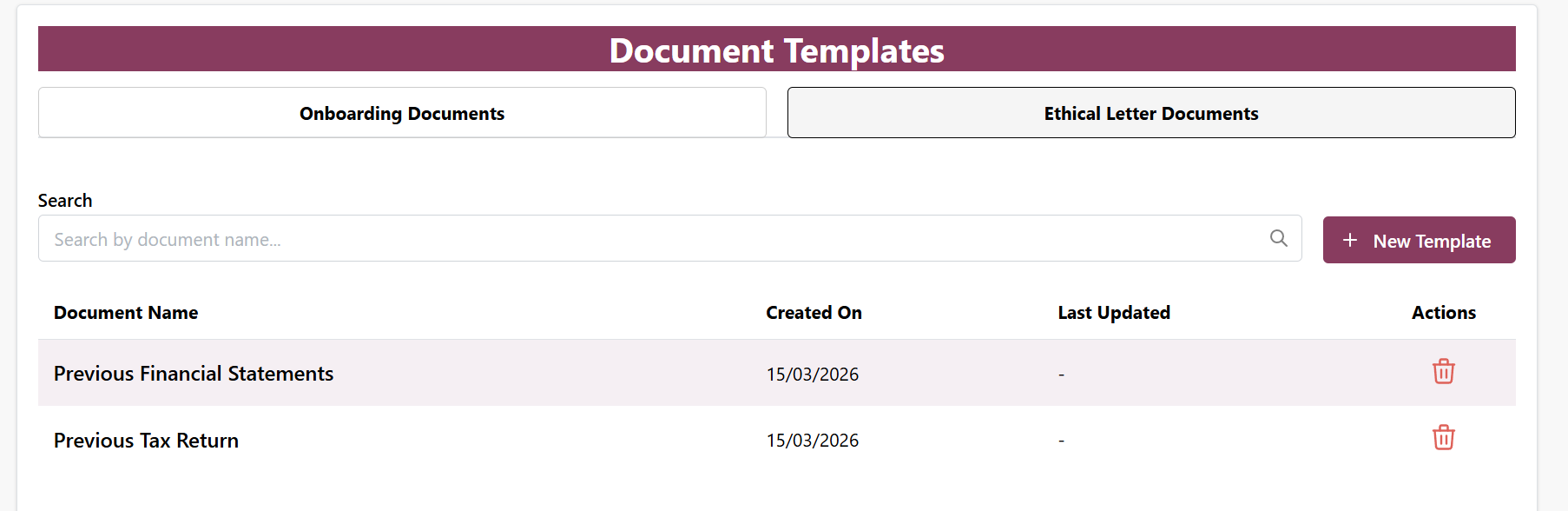
These documents will populate into the Request Documents list when creating an Ethical Clearance to the previous accountant.
Email history: Ability to view emails sent from OnboardMe
We've added a new Email History section for Admin's to view the history of emails sent via OnboardMe.
Navigate to Settings / Account and click on Email History at the top.
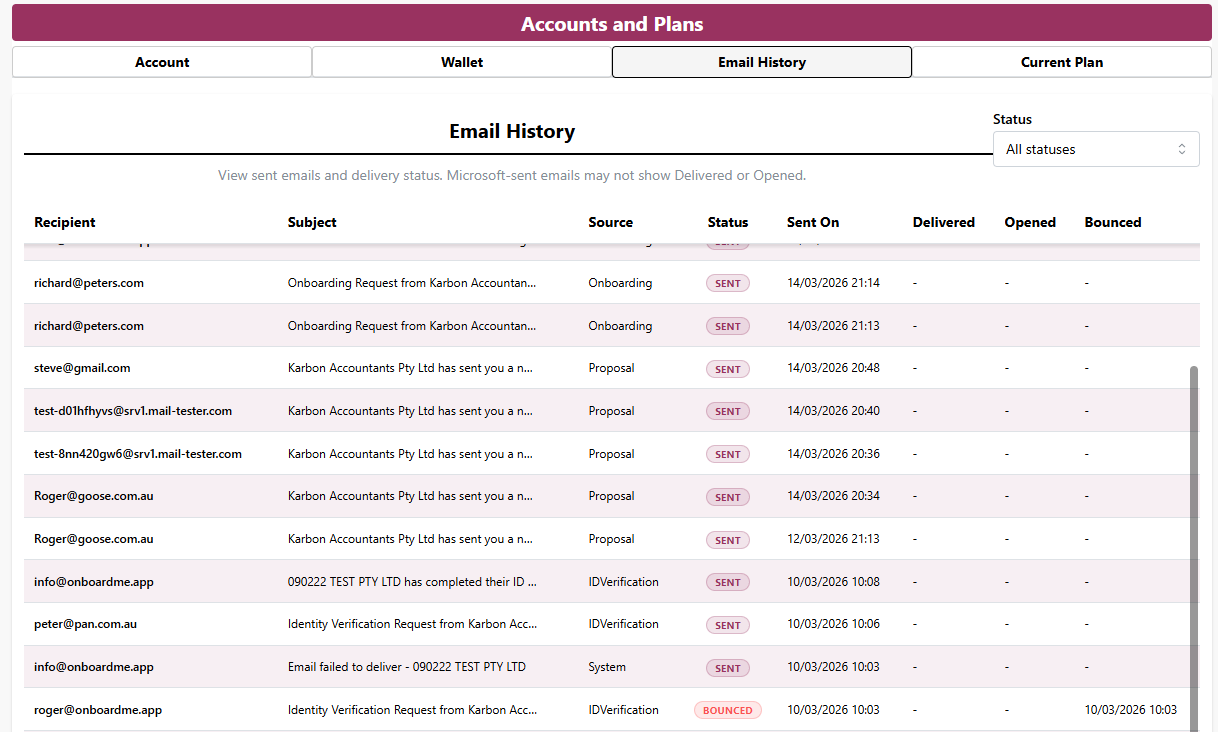
Emails will show with the following statuses for Non-Microsoft Email users:
Sent: The email has been sent but not yet delivered.
Delivered: The email has been accepted by the client's email system.
Bounced: The email was unable to be delivered; this could be due to an incorrect email address or sending to an email that was previously failed.
For users who send emails with their own Microsoft Domain, emails will only be shown as Sent as OnboardMe does not have access to retrieve additional information after the email has been sent by Microsoft. If any delivery issues should occur, the email address used for sending emails will get a notification email from Microsoft.
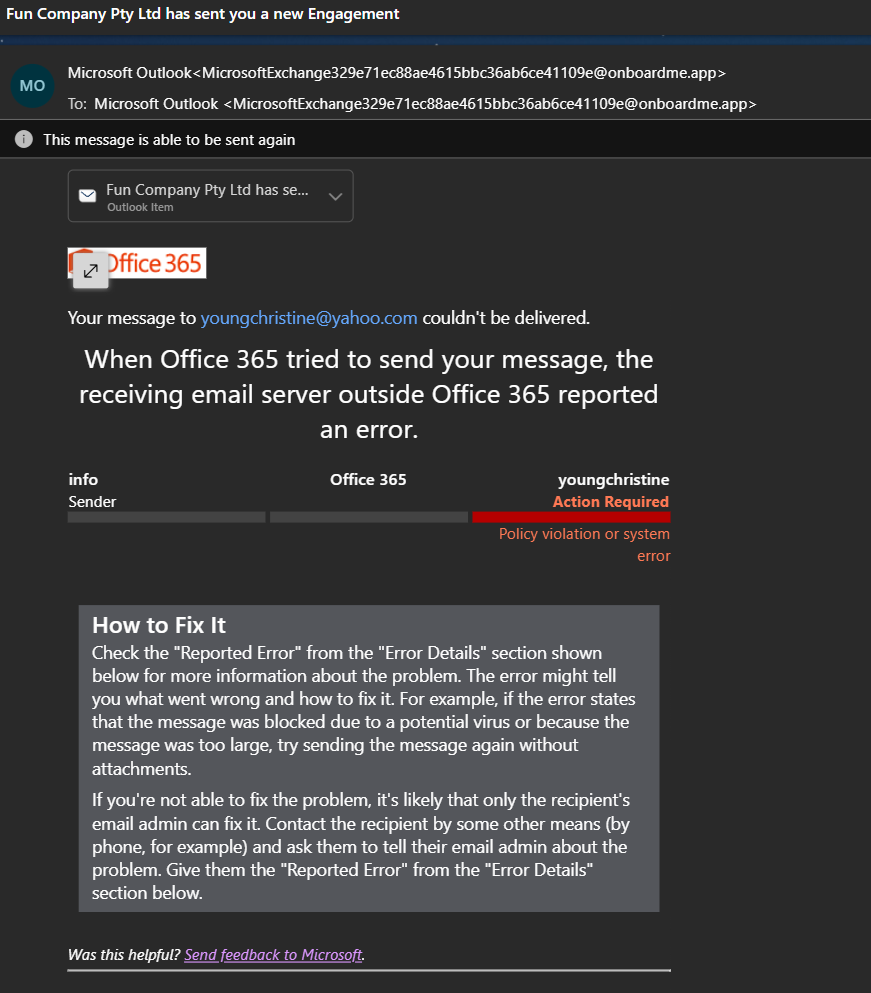
NB: For firms who send emails using Microsoft, all sent emails from OnboardMe will show in the sent items of the email address setup.
Still need help?
Contact us