
This release of OnboardMe introduces a range of new features and bug fixes. The changes are outlined below.
New Features / Enhancements
General
Engagements and Bills on Clients
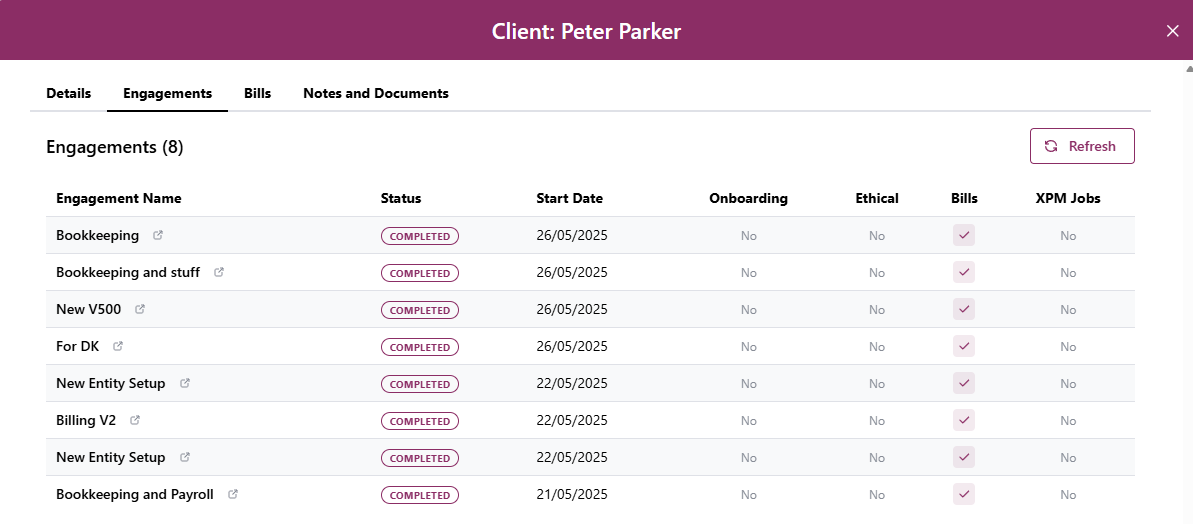
We've added 2 new tabs to the client page in OnboardMe.
Engagements
Bills
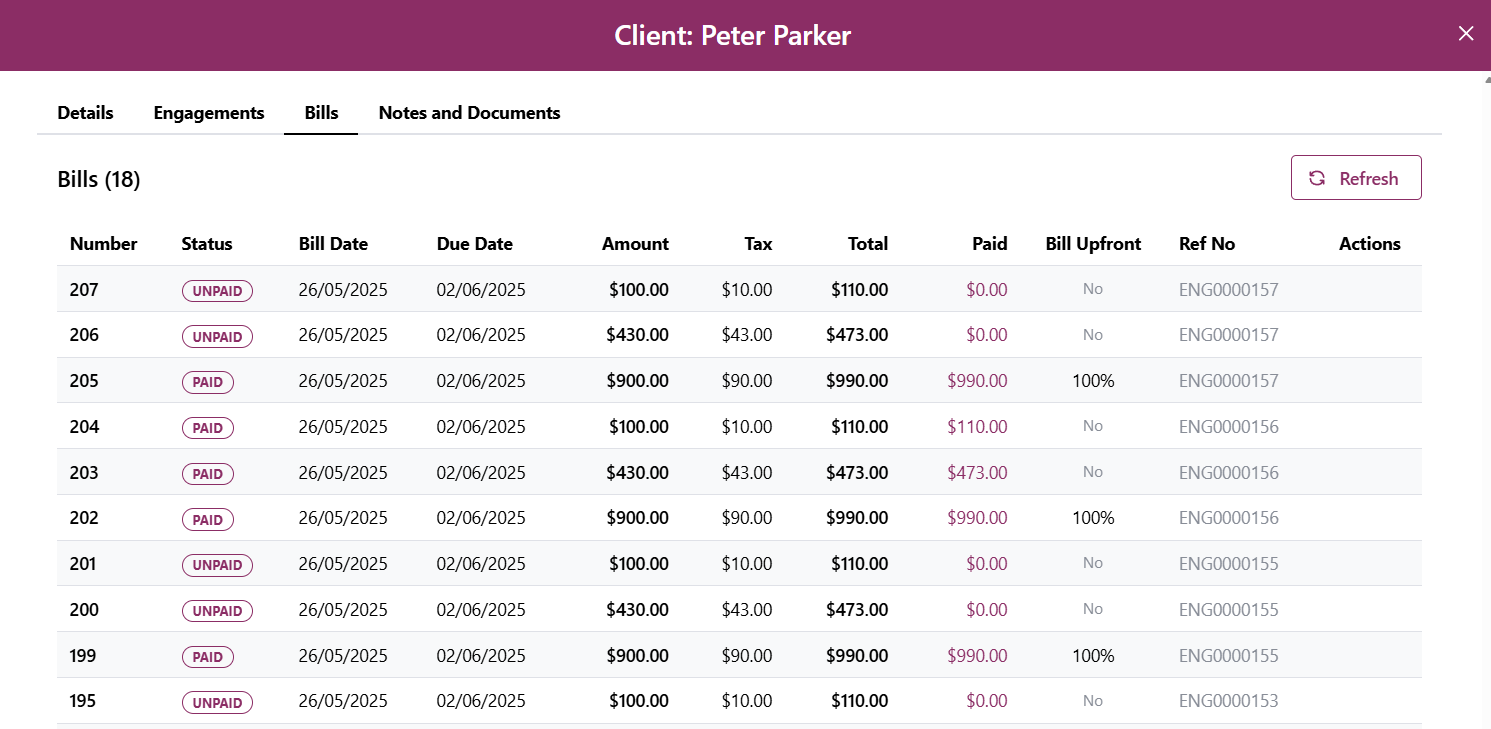
These tabs will show all the Engagements and Bills created for clients via OnboardMe. For Engagements, you will be able to click on a row to open that engagement directly.
Engagements
Engagement Welcome page
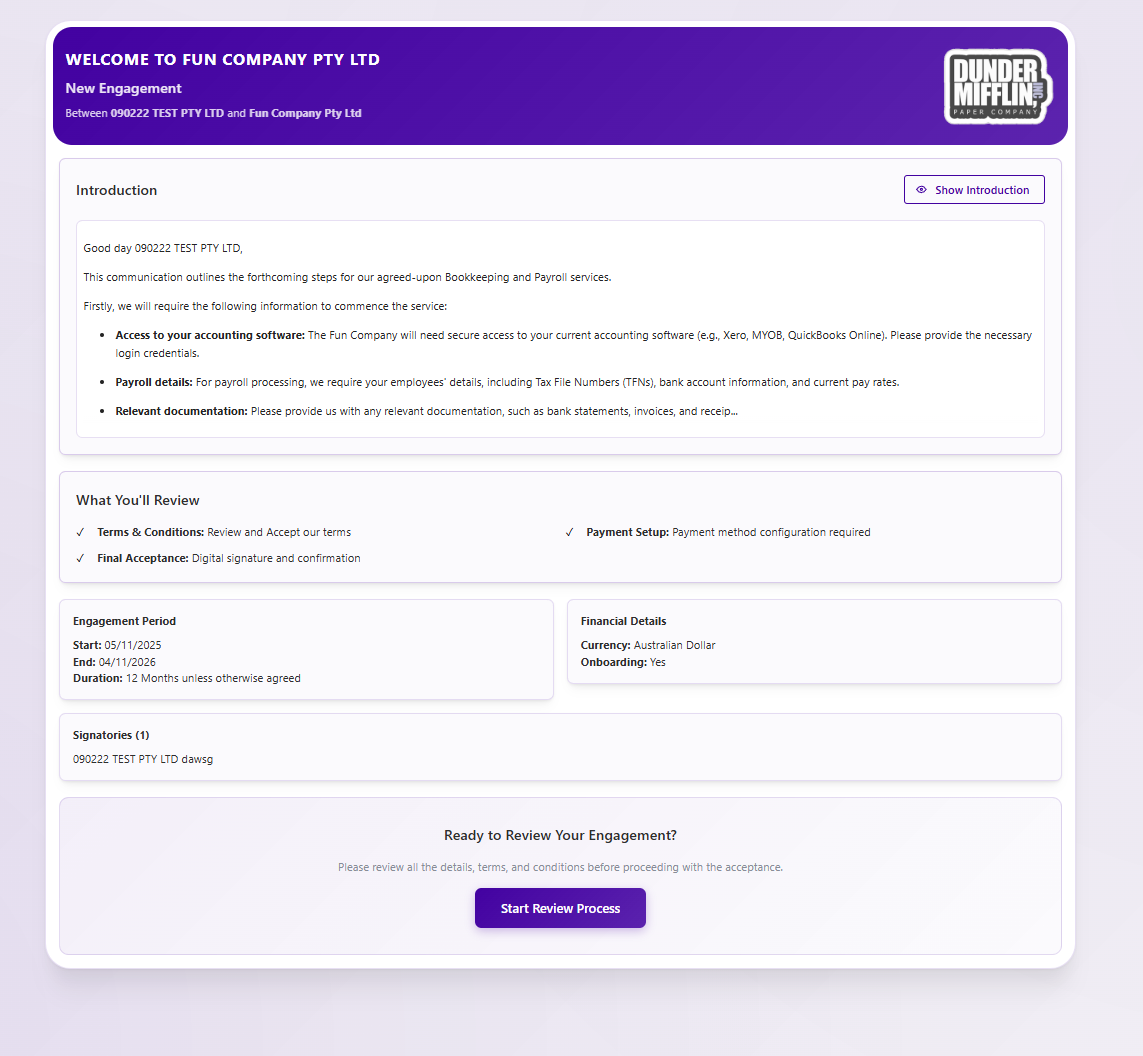
A new Welcome Page has been added to the Engagements module.
This page is designed to give your clients a summary of the Engagement Review Process and includes your Introduction message.
Xero Practice Manager clients
For clients who are sending an engagement to a new client but not requiring an onboarding, clients would not be created in XPM when the engagement was accepted.
Now when sending an engagement to a new client and not having an onboarding, the system will create the client in XPM and Deploy any jobs configured when the engagement is accepted.
Engagements with no services
For firms who wish to not show Services or quote pricing on their engagements, you can now choose to not add any services to an engagement.
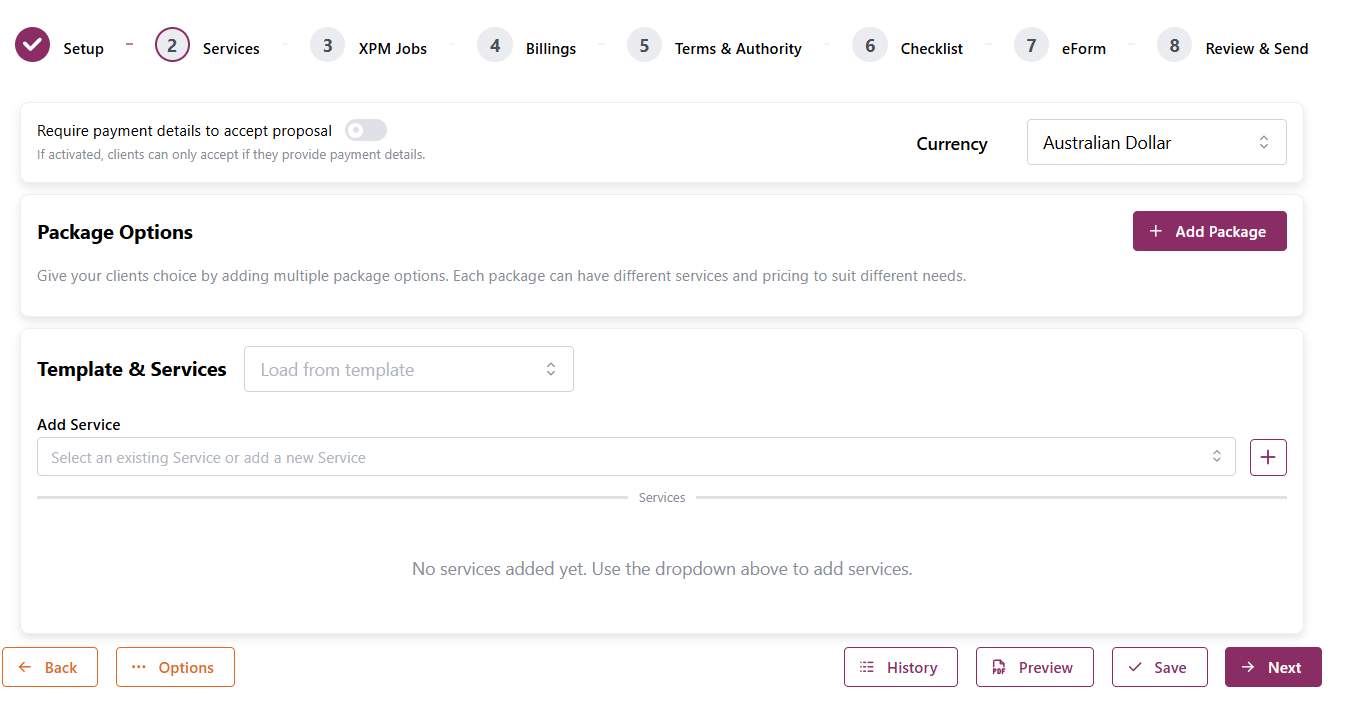
Leaving the Services step blank and sending the engagement will work as expected.
When customers access the engagement, the details step showing the proposed services will now be hidden and they will be automatically shown your Terms.
Custom Engagement Question
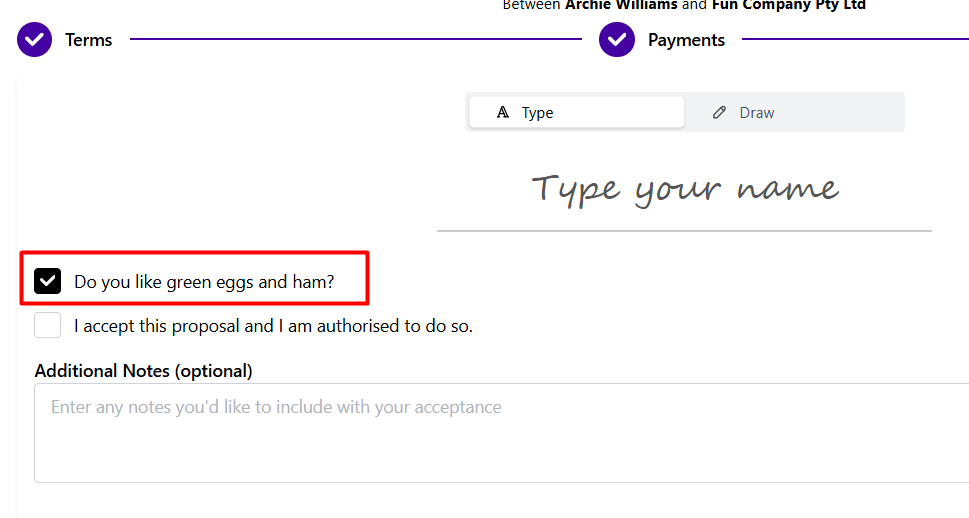
We have added the ability to customise the Marketing question on the Engagement Acceptance step. Previously this step asked for consent to accept marketing.
To change the question, navigate to Settings / Business / Additional Settings, in the Engagements section you will see the new Custom Question Text.
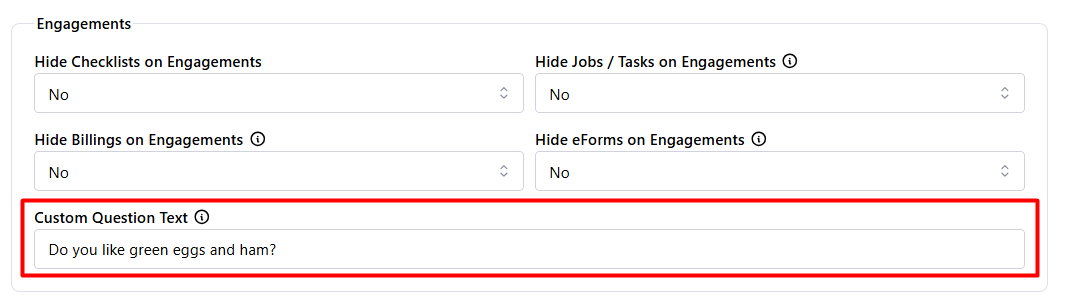
You can customise the text (max 1000 characters) and click save.
This question will now appear on all engagements just above the Authorisation checkbox.
Client Onboarding
Requesting Document Templates
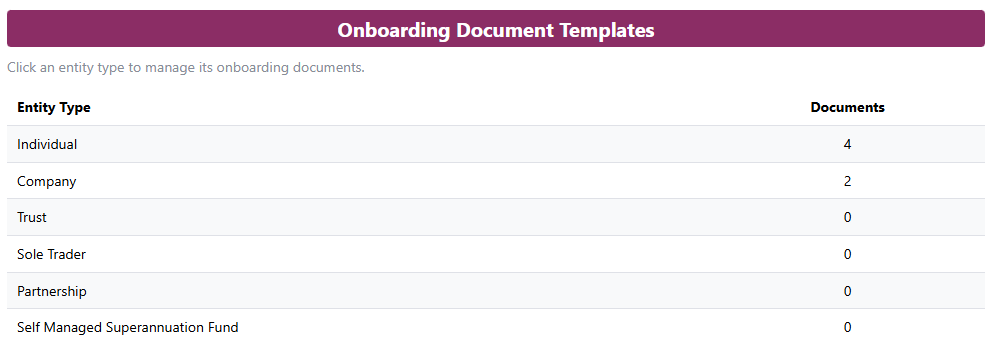
We have added a new Onboarding Documents templates setup section.
This allows you to setup a preset list of documents to request for each entity type when onboarding a client.
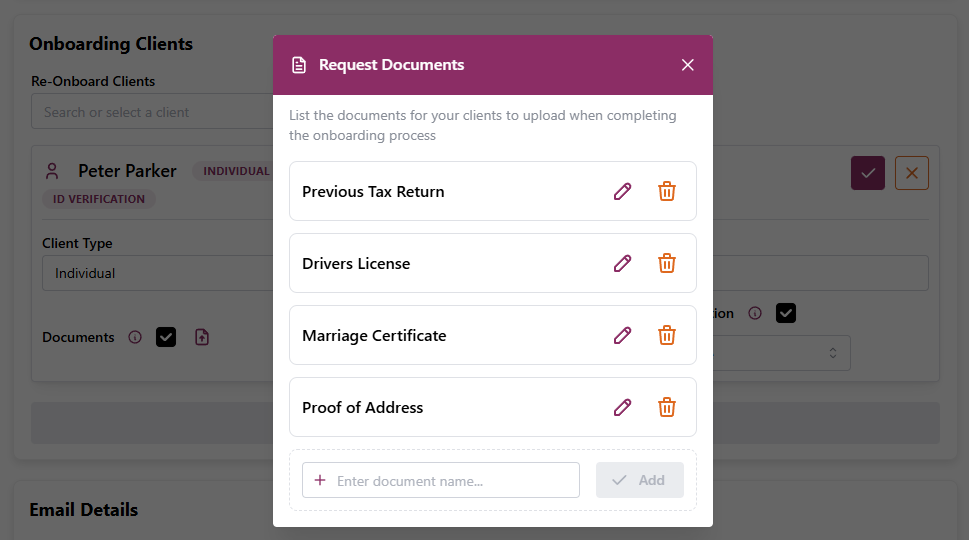
You can drag and drop to reorder documents in the sequence you wish to have them.
When Onboarding Document Templates exist and you select the Request Documents tick box in OnboardMe, the list will prefill based on the document template setup.
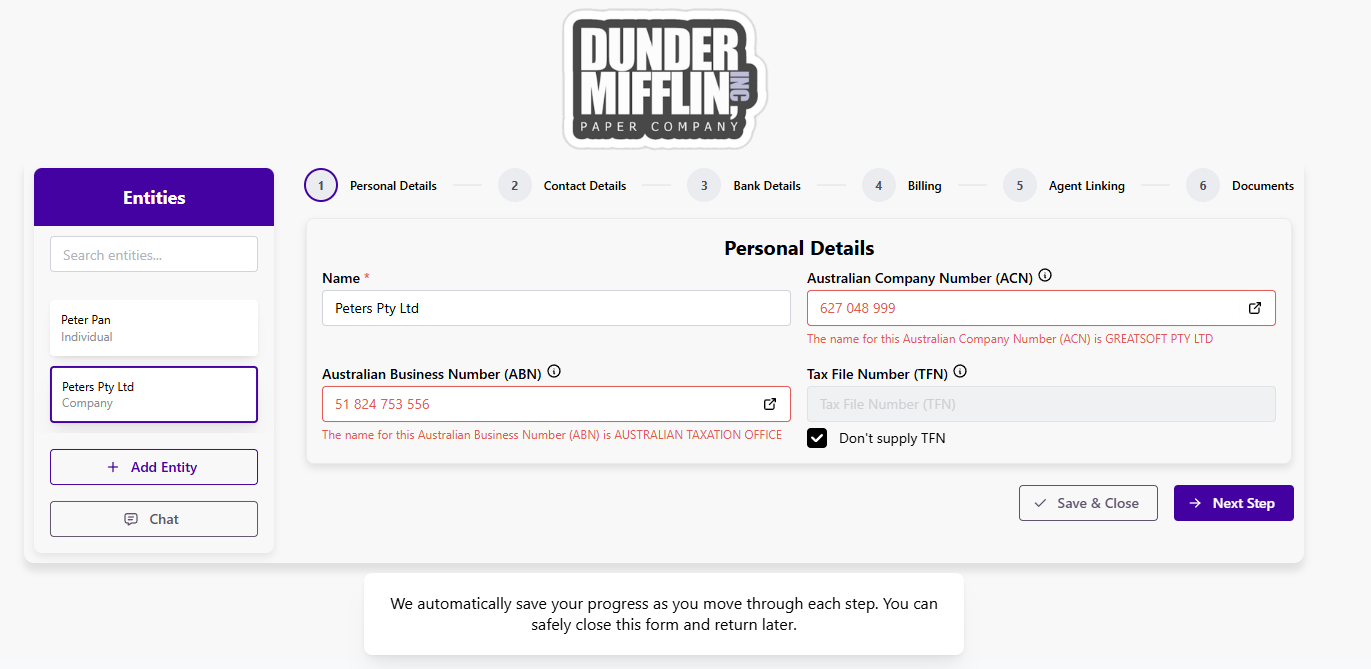
ABN / ACN Lookups and validation
When customers enter either an ABN or ACN, we will automatically lookup the entered value against the ABR lookup and block progression if the Entity name does not match the ABR Lookup results.
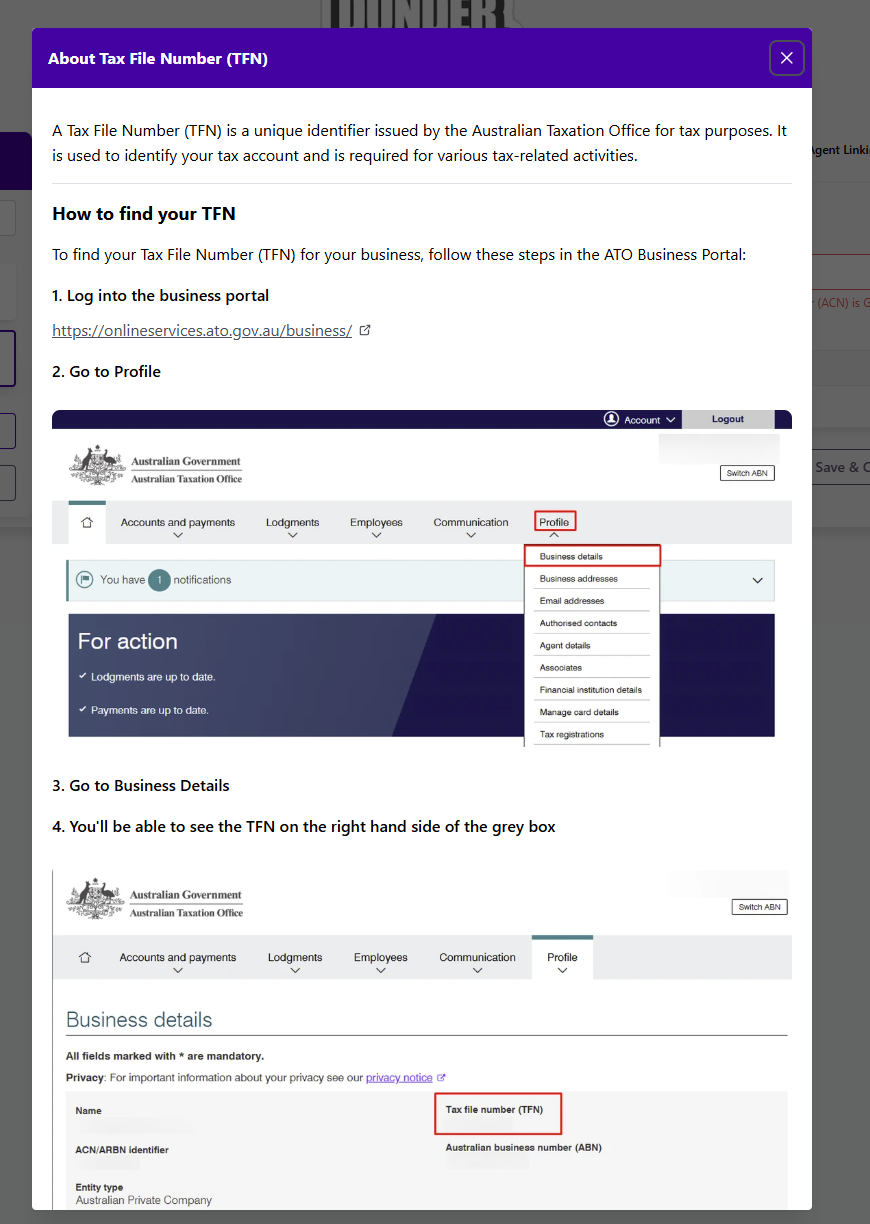
TFN Clarity and Instructions
How to find TFN for both individuals and non-individuals has been added to a new popup on the TFN inputs.
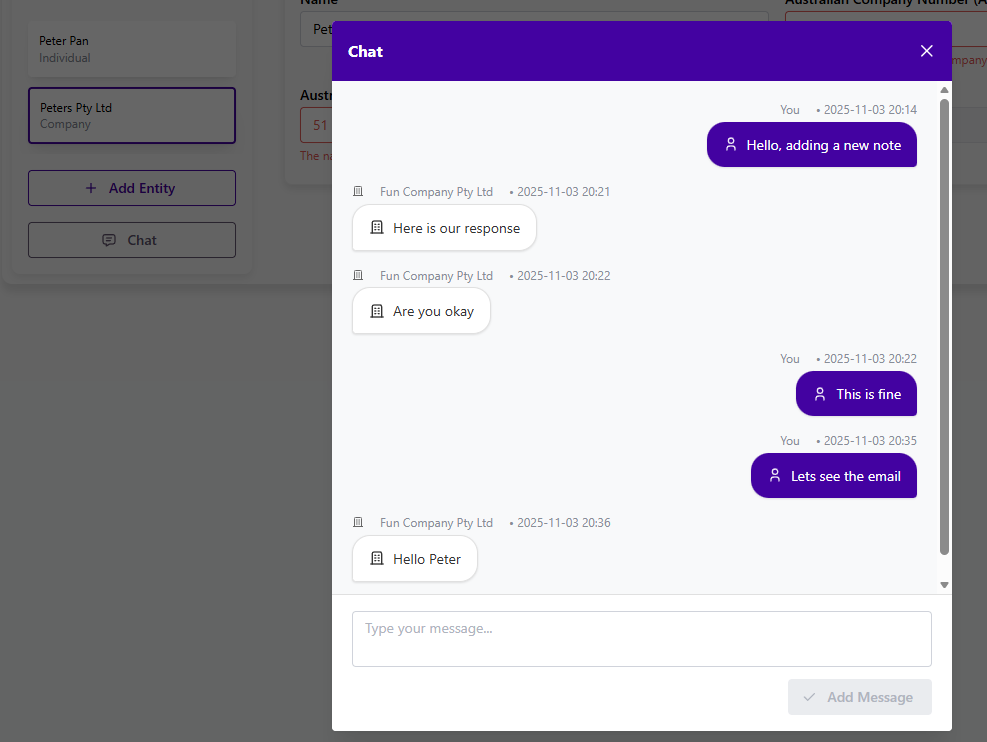
Onboarding Notes and Messages
We've renamed Notes and Messages to Chat and revamped the user interface.
We have also enabled emails for chat messages added to Onboardings, so both your client and your practice will be notified of new messages added.
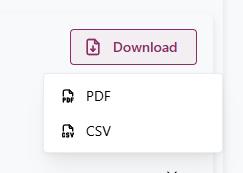
Exporting Onboarding Information
We've added in a new Export to CSV option for all the core fields collected during the onboarding process.
Still need help?
Contact us